How Many Images an Amazon Listing Can Have, and How Many Render
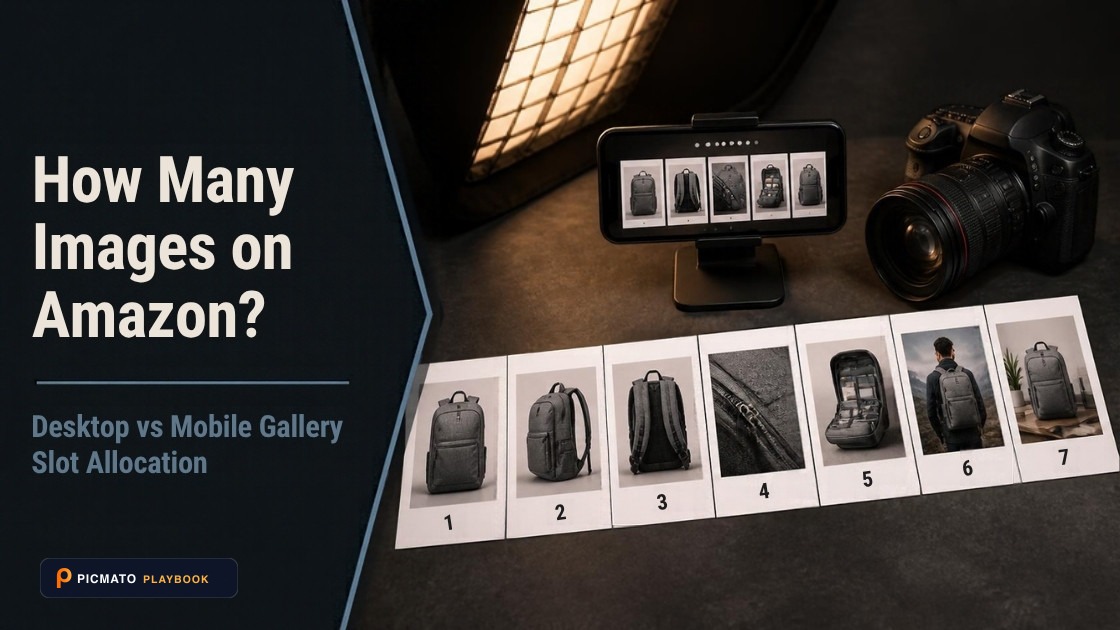
Amazon supports up to 9 uploaded images, with the first 7 visible on desktop product detail pages.
An Amazon listing accepts nine images in most categories: one main image plus eight others, with a swatch image on top of that in variation categories. Clothing and Accessories is the documented exception, at seven. You can add up to four shoppable videos per ASIN. Fewer images render than you upload. Amazon does not publish a gallery display count in its seller documentation. A staff member answered it in the Seller Forums: the main image plus up to six alternates render, seven in total.
Sellers hit that difference every time they upload nine images, open the detail page, and count seven. This post keeps the two numbers apart. The upload figures come from Amazon's own readable pages and from its published API model, which names every slot. The display figure comes from a staff reply, not from documentation, so this post says who said it and when. One widely repeated video figure is marked not confirmed, because it is.
Create listing images from your product photos
Paste your Amazon, Flipkart, Walmart, or Meesho product link or upload phone shots. Picmato recommends listing image templates tailored to your product. Review the plan and choose which images to generate; a nine-image plan does not guarantee nine finished images or nine visible gallery slots. AI renderers do not guarantee an exact RGB value, so check with a color picker before uploading.
What Amazon publishes: nine images, six recommended#
Amazon's seller blog says a listing takes up to nine photos, and its walkthrough for creating a new ASIN repeats it at the Description tab step. Nine means one main image plus eight others. Amazon's Selling Partner API model names each slot: MAIN, then PT01 through PT08, described as other image number one through number eight, then SWCH, the swatch. The swatch is a tenth asset and not a gallery image. It renders as the variation chip.
The number Amazon states as a recommendation is six. Its product photo guide says every product must have at least one image and recommends at least six. Amazon staff repeat that in the publicly readable Seller Forums. One staff post recommends at least six images and one video. Another says every detail page requires at least one product image and recommends six. Six is the floor Amazon argues for. Nine is the ceiling it allows.
Nine is not an absolute ceiling inside the catalogue itself. Amazon's published API model stops at PT08, but developers report live items returning slots past it. An issue filed against Amazon's model repository in May 2022 describes a client throwing an exception on an unexpected value of PT09. The same issue reports the live API returning variants as high as PT14 for a real ASIN, and Amazon's apparel guidelines list file names up to PT13. Those slots exist. They are not documented for sellers, and you cannot plan a set around them.
The slot plan, and what renders#
Here is the slot plan, using Amazon's own slot names and its own one-line descriptions. The last column is the one sellers argue about. Amazon does not publish a gallery display count in its seller documentation. A staff member answered it directly in the Seller Forums two years ago: the main image plus up to six alternates render, seven in total. The remaining two uploads do not appear as thumbnails.
The three sources a seller is likely to meet all land on seven. Amazon's own listing guide, dated April 2026, says nine photos and never mentions display. Squareshot's requirements guide, 30 January 2026, says the first seven appear in the gallery, or six if you include a video. SalesDuo, 6 August 2026, says a detail page allows seven visual assets: six image slots and one video slot.
One older thread shows how long this took to answer. A seller notes that the flat file and the Seller Central form both accept nine pictures plus a swatch, then asks why only seven show. That thread drew no staff reply and is roughly five years old. Glenn_Amazon answered the same question in a separate thread. Neither settles mobile, where the same seller reports the eighth and ninth images are effectively impossible to reach.
| Slot | Amazon's own label | Typical use | Renders on desktop |
|---|---|---|---|
| MAIN | Main image for the item | Product on plain white, filling at least 85% of the image area | Yes. It is also the search thumbnail. |
| PT01 to PT05 | Other image #1 to #5 for the item | In use, scale, close-up, what is in the box, feature callouts | Yes |
| PT06 | Other image #6 for the item | Label, ingredients or specification panel | Yes. Staff confirm the main image plus six alternates. |
| PT07 and PT08 | Other image #7 and #8 for the item | Lifestyle, brand story, or overflow | No. Uploadable, but not shown as thumbnails. |
| SWCH | Swatch image for the item | Colour or fabric chip for a child SKU | Not a gallery image. It renders as the variation chip. |
Videos: four per ASIN, and the rule that hides them#
Amazon states this number itself. You can add up to four shoppable videos to any ASIN, on a dated Amazon page from May 2025. The one video per ASIN figure still circulating in the forums is a seller answer from roughly 2019 and is out of date. The same Amazon page carries the specs, which the table sets out.
This is where the allowance and the visible page come apart, in Amazon's own words. For shoppable videos to appear in the main media block of product detail pages, the product must have fewer than six images. Amazon says it again on a second page from September 2024. Your video will only appear in the image block if you have less than six images. It may also appear in the videos section below the fold, and in search results. So six images plus a video is not seven slots filled. It is six images, and a video below the fold.
Brand Registry is not the gate. Amazon's May 2025 page says you do not need a selling account associated with an enrolled brand to add shoppable videos. Both brand-registered and non-brand-registered sellers can add them, on a Professional selling account, with at least three months of selling history. The September 2024 page words eligibility as an either/or instead: an enrolled brand, or three months active. Plan against the newer page, and expect to meet the older wording quoted back at you.
| Figure | What the source says | Confirmed? |
|---|---|---|
| Shoppable videos per ASIN | Up to 4 | Confirmed. Amazon, May 2025. |
| Length, size, resolution | 1 to 12 minutes, maximum 5 GB, up to 1080p | Confirmed. Amazon, May 2025. |
| Time to appear | Typically within three days after approval, up to seven business days in holiday seasons | Confirmed. Amazon, May 2025. |
| Video in the main media block | Only if the listing has fewer than six images | Confirmed. Amazon, May 2025 and September 2024. |
| ASINs one video can cover | A figure of 300 circulates in seller communities | NOT CONFIRMED. It traces to no Amazon page we could reach. |
Does the number change by category?#
Yes, and Amazon published the difference itself. Its Shoes category style guide says you can provide up to eight alternate images for each parent and child SKU, and one swatch image for each child SKU. So for shoes the nine-image figure holds, and the swatch is extra.
Clothing and Accessories is the documented exception. Amazon's Seller Imaging Guidelines for that category allow up to six alternate images, for a total of seven images per parent or child SKU, with a minimum of five. The same guide says a variant may also be a short video. Every page of that document carries a line saying it is for informational purposes only.
Both documents are old. The Shoes guide is dated 2019 and the apparel guidelines are Spring 2021, while the nine-image figure comes from Amazon seller guidance published in September 2025 and April 2026. That is why this post says most categories. Before you commission a set, open the style guide for your category and count the slots your upload form offers.
A+ Content images are a separate allowance#
A+ Content images do not come out of your nine, and Amazon draws the line itself. On its video page it says shoppable videos appear in the main media block at the top of product pages, while A+ Content videos appear in the product description section. Images follow the same split. A+ images never consume a gallery slot, and gallery images never appear inside an A+ module.
This is where Brand Registry usually matters, rather than in the video allowance. Amazon describes A+ Content as a tool for adding video, enhanced images, text placements and shoppable comparison charts to detail pages. There is no single number of A+ images to quote, because A+ works as fixed image slots inside each module and you choose the module mix per page. The per-module sizes are in our A+ content guide, linked below.
How to plan a set that survives the cut#
Order is the decision that matters most, because the gallery stops at seven. Put the three kinds Amazon calls required inside the first six: white background, product in an environment, and the one carrying size or specification information. Anything you would be relaxed about losing belongs in PT07 and PT08. If a video matters more to your product than a sixth image does, hold the listing at five images and the video stays in the main media block.
Then check the live page. The staff answer is two years old, mobile behaves differently, and the behaviour has changed before. Five minutes with your own ASIN settles it for your category better than any guide can. Do it on the listing that matters, because a shared ASIN may be showing somebody else's photography.
Picmato is built around the set. You import a product URL from Amazon, Flipkart, Meesho or Walmart. Product analysis runs before anything is generated, and it reads the images already on the listing, marking each of nine gallery jobs covered, weak or missing. That read is best effort over the images it analysed, and it is not a check against marketplace rules. The recommender then suggests which shots the product needs, with an editable brief for each shot. Output is 1K on Free and Starter, with 2K and 4K on Pro and Max. Main images are directed to a plain white studio background. No AI renderer guarantees an exact RGB value, so check the result with a colour picker before you upload. Product videos (Beta) are a separate surface and are not built to Amazon's shoppable-video spec.
- Count the thumbnails on desktop, then count again on a phone.
- Check whether your video sits in the main media block or below the fold.
- On a shared ASIN, check whether the images rendering are yours.
- Open the style guide for your category before assuming nine slots.
- Compare your first six images against the three Amazon calls required.
All dimensions, RGB requirements, and technical guidelines in this playbook are verified directly against official 2026 seller portal specifications (Amazon Seller Central, Walmart Marketplace, Flipkart Seller Hub, and FSSAI standards).
Last reviewed for policy compliance: Sep 30, 2026
Frequently asked questions
How many images can an Amazon listing have?
Nine in most categories: one main image plus eight others, with a swatch image on top of that in variation categories. Clothing and Accessories is the documented exception at seven, with a minimum of five. Amazon separately recommends at least six images on any listing. Nine is the upload allowance, and an Amazon staff reply puts the number that renders on the detail page at seven.
How many images actually show on an Amazon product page?
Seven, on the best evidence available. Amazon does not publish a display count in its seller documentation. A staff member answered it in the Seller Forums: the detail page shows the main image plus up to six alternates. The eighth and ninth uploads do not render as thumbnails, and third-party guides report the same seven. Mobile differs, so count the thumbnails on your own listing too.
How many videos can you add to an Amazon listing?
Amazon states up to four shoppable videos per ASIN, on its own seller blog dated May 2025. The one video per ASIN figure still circulating in the forums is a seller answer from roughly 2019 and is out of date. Videos run between one and twelve minutes, at a maximum of five gigabytes and up to 1080p. Approval typically takes three days, and up to seven business days in holiday seasons.
Do you need Brand Registry to add a product video?
Brand Registry is not required. Amazon says you do not need a selling account associated with an enrolled brand to add shoppable videos. It asks for a Professional selling account with at least three months of selling history. An older Amazon page words eligibility as an either/or. A+ Content is gated differently, and that is where Brand Registry usually matters.
Can one Amazon video be used on 300 ASINs?
A figure of 300 circulates in seller communities and cannot be traced to any Amazon page we could reach. The Seller Central guide that would settle it is not public. Amazon staff wording says only that you can assign a single video to multiple relevant products. Treat 300 as a community figure, and check the assignment screen for the limit your account is given.
Sources & Reference Documentation
- Amazon, Sell on Amazon blog: How to create Amazon product listings (Apr 29, 2026)
- Amazon, Sell on Amazon blog: How to create a new ASIN on Amazon (September 28, 2025)
- Amazon, Sell on Amazon blog: How to take product photos (December 4, 2024)
- Amazon, Sell on Amazon blog: Let Amazon product videos show customers what images can't (May 12, 2025)
- Amazon, Sell on Amazon blog: 7 steps for making a product video (September 5, 2024)
- Amazon, Sell on Amazon: A+ Content tool page
- Amazon, Selling Partner API model: catalogItems_2022-04-01.json, ItemImage variant enum
- Amazon, selling-partner-api-models issue #2398: Unexpected value PT09 in ItemImage.VariantEnum, Catalog Items API v2020-12-01 (opened 4 May 2022)
- Amazon, Category Style Guide: Shoes (PDF, dated 10/8/2019)
- Amazon, Seller Imaging Guidelines: Clothing & Accessories, Spring 2021 (PDF)
- Amazon Seller Forums: staff reply (Glenn_Amazon) on how many product images display
- Amazon Seller Forums: Listings Lounge, Product Image Requirements (Manny_Amazon, staff)
- Amazon Seller Forums: Quick Tip, Product Images (Jessica_Amazon_, staff)
- Amazon Seller Forums: Images from multiple selling partners to be displayed on product pages (News_Amazon, staff)
- Amazon Seller Forums: Update to how product detail page images are selected (News_Amazon, staff)
- Amazon Seller Forums: seller thread on nine uploads versus seven displayed, including mobile
- Amazon Seller Forums: seller answer claiming one video per ASIN (roughly 2019)
- Amazon Seller Forums: staff guidance on assigning a single video to multiple products (Tatiana_Amazon)
- Squareshot, Amazon Product Image Requirements Guide (30 January 2026)
- SalesDuo, Amazon Product Detail Page Images (6 August 2026)
Related on Picmato
Recommended Playbooks & Market Guides
Platform policies, image compliance documentation, and conversion frameworks.
Amazon A+ Content Image Sizes and Best Practices
Every standard Amazon A+ module has a fixed image size, from 135 x 135 quadrants to the 970 x 600 header. Here is the full dimensions table, the file rules, and the design practices that keep your modules sharp on mobile.
Amazon Listing Image Requirements, Explained
Read Amazon.com image-size guidance, distinguish upload and zoom targets, and prepare accurate main images and galleries with clear source limits.
Amazon Minimum Image Size: Why 500 and 1,000 Pixels Are Both Correct
Amazon's acceptance floor is 500 pixels on the longest side, and 1,000 pixels is the zoom threshold rather than the minimum. Here is what each number controls, with the Amazon pages that say so.