Amazon's 85% rule means area: how to measure your fill
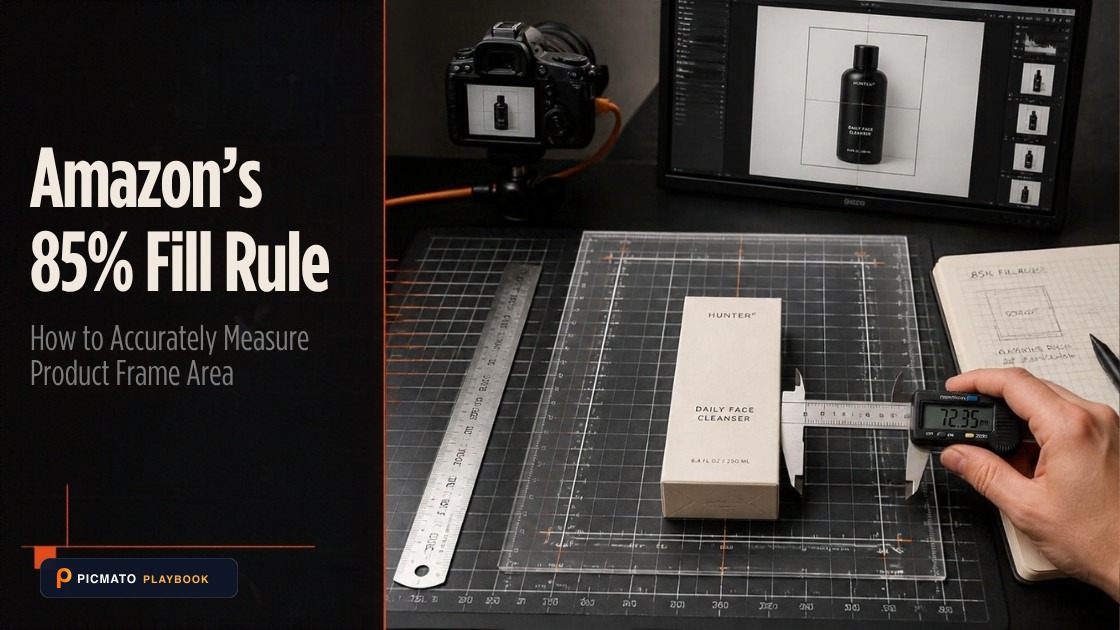
Amazon measures product fill by total frame area rather than linear dimensions on pure white backgrounds.
Amazon defines the 85% rule as area. Two Amazon category style guides say the product must fill at least 85% of the image area. The share of the frame a product's bounding box covers is its width divided by the canvas width, multiplied by its height divided by the canvas height. If a square product's box spans 85% of the canvas side each way, it covers 0.85 x 0.85 = 72.25% of the area. To cover 85% of the area, a square box has to span the square root of 0.85, which is 92.2% of the side. A tall or long product cannot reach 85% by area in a square frame without being cropped, so for those the target is as much of the frame as the product can fill with nothing touching the edge.
For a square product, seven percentage points of side length is real work. On a 2,000 pixel square canvas it is the difference between a 1,700 pixel product and an 1,844 pixel product. This post gives the pixel span for four common canvas sizes. It shows how to measure your own file, whatever its shape, with an image editor's selection readout. It also explains why the definition sits where almost nobody reads it, and why cropping tighter backfires.
Create listing images from your product photos
Paste your Amazon, Flipkart, Walmart, or Meesho product link or upload phone shots. Picmato recommends listing image templates tailored to your product. Review the plan and choose which images to generate; a nine-image plan does not guarantee nine finished images or nine visible gallery slots. AI renderers do not guarantee an exact RGB value, so check with a color picker before uploading.
How to Measure Your Amazon Listing Image Frame Fill Percentage
Step-by-step formula and measurement procedure to verify that your product covers at least 85% of the frame area without edge clipping.
Open the image in your image editor
Open the full-resolution export (e.g. 2,000 x 2,000 pixels) in Photoshop, Photopea, GIMP, or Paint.NET.
Draw a tight bounding box around the product
Using the rectangular marquee or selection tool, drag a box that just touches the outermost edges of the product at its widest and tallest points.
Read the bounding box width and height in pixels
Check the info panel or selection readout to obtain the exact pixel width (W) and pixel height (H) of your product bounding box.
Calculate frame area coverage
Divide selection width by canvas width, divide selection height by canvas height, and multiply the two results. For a square product, each side should span at least 92.2% of the canvas to reach 85% area coverage.
Verify edge clearance and margin safety
Confirm that no part of the product touches or crosses the canvas edge, leaving a safe, even border around the subject.
Where Amazon defines the 85%#
Amazon states the 85% rule in forum posts, in help pages and in its category style guides. Only the style guides say what the 85% is a percentage of. The Amazon Category Style Guide for Shoes, dated October 2019, says the product must fill at least 85% of the image area. The Seller Imaging Guidelines for Clothing and Accessories, Spring 2021, uses the same sentence. Both are Amazon-hosted PDFs that open without a login.
So the basis is settled, and almost nobody quotes it. The definition lives in category PDFs, not in the general image help most sellers read. The Seller Central help articles that would state it in one place sit behind a login and return an empty shell to anyone who is not signed in. That is why you can find a dozen guides arguing about the basis and none of them citing the two documents that name it.
The arithmetic still matters, because sellers measure the wrong thing. A bounding box is easy to measure along a side and awkward to measure by area, so side length is what people check. Read the rule that way and you land at 72.25% of the area, nearly 13 points short of what those two guides ask for.
85% by side and 85% by area#
Take a square canvas and draw the smallest rectangle that contains your product. That rectangle is the bounding box. The share of the frame it covers is its width fraction multiplied by its height fraction. If the box is square and its side is 85% of the canvas side, its area is 0.85 multiplied by 0.85, which is 0.7225. The product covers 72.25% of the frame. Squaring a fraction below one always makes it smaller.
Run it the other way for the number you want. To cover 85% of the frame area with a square box, its side has to be the square root of 0.85. That is 0.9219544, so call it 92.2% of the canvas side. The two readings differ by 7.2 percentage points of side length, and the difference lands in your margins. At 85% by side you have 7.5% of the canvas clear on each side; at 85% by area you have 3.9%.
For a square product, a 92.2% span clears the dimension reading at the same time, because 92.2 is larger than 85. Most products are not square, and the further a product is from square, the less of the frame it can cover. A bounding box more than about 1.18 times as tall as it is wide, or as wide as it is tall, cannot reach 85% of a square frame. A bottle with a 2.1 to 1 silhouette, at the full height of a square frame, spans 47.6% of its width, so its bounding box covers 47.6% of the area at most. No placement gets it to 85% without cropping into the product, and neither style guide says how Amazon treats a product that cannot reach the figure. One caution in the other direction: this post measures the bounding box, not the silhouette. A circle fills pi divided by 4 of its bounding square, about 78.5%, so a round tin shot face-on could never reach a literal 85% of ink without cropping into the product.
The pixel spans for four canvas sizes#
Here are both readings in pixels on a square canvas, for a product whose bounding box is square. The second column is the bounding box span that gives 85% of the side. The fourth is the span that gives 85% of the area, which is 92.2% of the side. Margins are per side, so the product sits centred with that much clear space to its left and right.
The table leaves out one number because it never changes. An 85%-by-side crop covers 72.25% of the frame at every canvas size. An 850 pixel product on a 1,000 pixel canvas and a 2,550 pixel product on a 3,000 pixel canvas are the same picture at two resolutions. The 1,600 pixel row is here because sellers use that size. Amazon publishes no rule at 1,600.
| Canvas side | 85% by side | Margin, 85% by side | 85% by area | Margin, 85% by area |
|---|---|---|---|---|
| 1,000 px | 850 px span | 75 px each side | 922 px span | 39 px each side |
| 1,600 px | 1,360 px span | 120 px each side | 1,475 px span | 62 px each side |
| 2,000 px | 1,700 px span | 150 px each side | 1,844 px span | 78 px each side |
| 3,000 px | 2,550 px span | 225 px each side | 2,766 px span | 117 px each side |
What Amazon staff say about the 85%#
The staff posts are where most sellers meet the rule, and none of them names the basis. Jessica_Amazon_, posting about three years ago, writes that the product must fill at least 85% of the image. Noor_Amazon_, about a year ago, says the product should fill most of the frame, at least 85%. TaylorR_Amazon, about nine months ago, writes 85% or more of the frame. In those three threads it is written as a floor, and the floor is the number to design against whatever wording you meet.
Notice that the noun drifts too. One post says image, two say frame. On a square canvas those are the same thing, and the wording tells you how loosely the rule travels once it leaves the style guides.
Third-party guides fill the gap with confidence and no citation, variously measuring the 85% against the shortest dimension, the longest dimension, or a pixel ratio. None of them cites an Amazon source for the choice. The two documents that settle it are older than most of those guides and easier to read. The same looseness runs through the pixel numbers, which are not in conflict either.
- Manny_Amazon: images must be 500 to 10,000 pixels on the longest side, and Amazon prefers images larger than 1,000 pixels.
- TaylorR_Amazon: 1,000 pixels on the longest side is the zoom threshold.
- Rose_Amazon: staff recommend 1,600 pixels or more on the longest side for the best zoom experience.
- Those are three rungs of one ladder: 500 is the upload floor, 1,000 turns on zoom, and 1,600 is a staff recommendation.
How to measure your own file#
You need two numbers: the bounding box width and height in pixels. Open the image in any editor with a rectangular selection tool. Drag a box that just touches the product at its widest and tallest points, then read the selection size off the info panel. Photoshop, GIMP, Photopea and Paint.NET all show it live while you drag. Divide the width by the canvas width and the height by the canvas height, then multiply the two.
Then read the result. At 0.85 or above you meet the area definition. For a square product that means both spans at 0.922 or more. If even the larger span is below 0.85, you are short on any reading. No tolerance is published anywhere, so do not talk yourself into 0.84 being close enough. For a tall or long product the result lands well below 0.85 however you frame it, and the most you can do is fill the longer side as far as the frame allows, with nothing touching the edge.
No editor to hand? Screenshot the image on your phone, open it in a ruler app, and measure the product's width against the width of the picture and its height against the height. You are measuring ratios, so the units cancel and the screen size does not matter. If a square product measures 48 mm each way on a 51 mm image, that is 0.94 by 0.94, about 0.89 by area, and you are fine.
Run the division on the finished file. Export at the size you will upload, open it, and check two more things while it is open.
- Width share multiplied by height share, 0.85 or higher, or as close as the product's shape allows.
- No part of the product touching or crossing the frame edge.
- Longest side between 500 and 10,000 pixels.
- Corners sampled with a colour picker if the image was rendered rather than photographed.
Why cropping tighter backfires#
Seller threads are full of the same outcome: a product clipped by the frame edge gets the image rejected or the listing suppressed. It comes up alongside people who cropped tighter to chase the fill number and lost the listing instead. The page that states that rule formally sits behind the Seller Central login, so treat it as what sellers observe rather than something you can quote.
There is a geometry trap underneath it. A tall product cannot have even margins on all four sides inside a square frame. A bottle with a 2.1 to 1 silhouette, sized to 85% of the frame height, is only about 40% of the frame width. Its side margins sit near 30% while its top and bottom margins are 7.5%. Scale it up until the margins look even and the height is far past 85%, with the crop now clipping.
We hit that in our own prompt work. A bottle briefed to a fill band came back well past the top of it, because the same brief also asked for visually equal margins on all four sides. That instruction has since been replaced by one telling the renderer not to equalise them. Picmato sets a framing intent per shot type when the shot is planned. The frame might hold the whole product, a single unit, one piece, a macro crop or the printed label. It also measures a subject bounding box in every finished frame. What nothing does is check your file against a marketplace's rules, so do the division yourself before you upload.
What the other marketplaces publish about fill#
Amazon is the only one of the four with a published fill percentage for the product itself. Walmart US publishes a detailed image spec and no fill percentage anywhere in it. The one Walmart fill figure that exists belongs to Walmart Canada, whose listing quality dashboard guide, updated on 8 June 2026, flags excessive whitespace against a 50% product fill threshold.
That is a Canadian document and a different kind of number: a floor against empty space, not a target for a hero shot. Do not carry it into a US listing. Flipkart and Meesho are harder again. Their image specs are thinly documented, and the figures that circulate contradict each other from source to source. None of the other three publishes a fill target for the product the way Amazon does, so Amazon's is the one to build toward.
All dimensions, RGB requirements, and technical guidelines in this playbook are verified directly against official 2026 seller portal specifications (Amazon Seller Central, Walmart Marketplace, Flipkart Seller Hub, and FSSAI standards).
Last reviewed for policy compliance: Sep 30, 2026
Frequently asked questions
Does Amazon's 85% rule mean area or the longest dimension?
Area. Amazon's forum staff never name the basis. Two Amazon-hosted category style guides do: the Shoes guide and the Clothing and Accessories imaging guidelines. Both say the product must fill at least 85% of the image area. For a square product that means a bounding box spanning 92.2% of the canvas side each way; a tall or long product cannot reach it without cropping. Read as side length, 85% is only 72.25% by area.
How many pixels is 85% on a 2,000 pixel image?
On a 2,000 pixel square canvas, 85% of the side is a 1,700 pixel span, leaving 150 pixels of margin each side. For a square product, reaching 85% of the image area, which is what Amazon's style guides ask for, needs a 1,844 pixel span. That leaves 78 pixels each side. The tighter reading costs you 72 pixels of margin per side and settles the question.
Will Amazon reject my image if the product only fills 80%?
No tolerance is published, so nobody can tell you where the line is enforced. Amazon writes the rule as a floor: at least 85% of the image area. There is no published rounding rule and no readable Amazon source saying an automated system scores the ratio. Treat 85% as a minimum you aim past. At 80% of the side each way you are at 64% of the area.
How do I measure image fill without Photoshop?
Use any editor with a rectangular selection tool, including free ones like GIMP and Photopea. Drag a box that just touches the product's widest and tallest points and read the selection size. Divide the width by the canvas width and the height by the canvas height, and multiply the two. At 0.85 or above you meet the area definition; below it you are short. A phone screenshot and a ruler app give the same ratio less precisely.
Should I crop tighter to be safe?
Not past the frame edge. Scaling up until the product touches the edge is a common way to lose a listing, and sellers report rejections and suppressions for clipped products. The geometry works against you too. A tall product sized to 85% of the frame height cannot have even margins on all four sides in a square frame. Forcing them even oversizes the product until it crowds the edge.
Sources & Reference Documentation
- Amazon Category Style Guide: Shoes (PDF, 2019), which states the product must fill at least 85% of the image area
- Amazon Seller Imaging Guidelines: Clothing and Accessories, Spring 2021 (PDF), which states the same 85% of image area rule
- Amazon Seller Forums: Quick Tip, Product Images (Jessica_Amazon_)
- Amazon Seller Forums: Picture Perfect, Your Guide to Awesome Amazon Product Photos (Noor_Amazon_)
- Amazon Seller Forums: Boost Your Sales with Amazon-Compliant Product Images (TaylorR_Amazon)
- Amazon Seller Forums: Listings Lounge, Product Image Requirements (Manny_Amazon)
- Amazon Seller Forums: Listings Lounge, Best Practices When Updating Images (Rose_Amazon)
- Walmart Marketplace Learn (US), Product detail page: image guidelines and requirements
- Walmart Marketplace Learn Canada, Listing Quality Dashboard (updated 8 June 2026), which sets the 50% product fill threshold
Recommended Playbooks & Market Guides
Platform policies, image compliance documentation, and conversion frameworks.
Amazon Listing Image Requirements, Explained
Read Amazon.com image-size guidance, distinguish upload and zoom targets, and prepare accurate main images and galleries with clear source limits.
Amazon Minimum Image Size: Why 500 and 1,000 Pixels Are Both Correct
Amazon's acceptance floor is 500 pixels on the longest side, and 1,000 pixels is the zoom threshold rather than the minimum. Here is what each number controls, with the Amazon pages that say so.
Amazon main image rejected? Every reason and how to fix it
Off-white backgrounds, text overlays, props, collages, low resolution: every reason Amazon rejects or suppresses main images, and the exact fix for each.