How to Run a Gallery Coverage Audit in Five Minutes
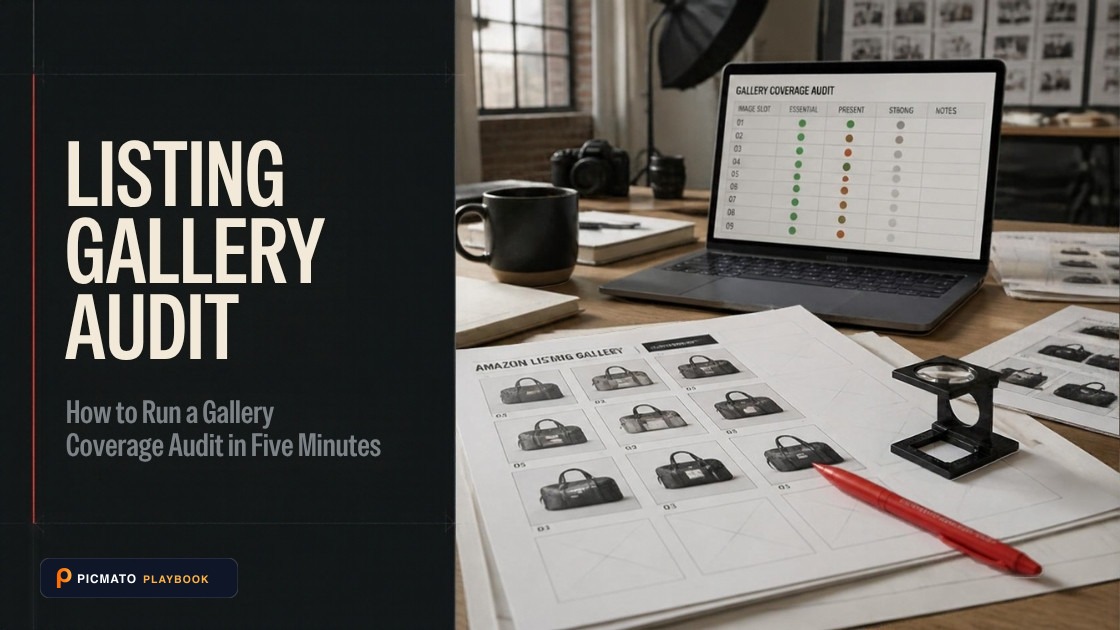
Evaluate your visual slots for missing scale shots, unaddressed FAQs, and zoom resolution gaps.
Open your listing on a phone. Write one of nine labels next to each image: hero, alternate angle, feature communication, detail and texture, scale and dimensions, lifestyle use, packaging, label or specification, bundle contents. A repeated label means two images are doing one job. A missing label is your next shot. Amazon staff recommend at least six images and put the detail page display at seven, so all nine labels will not fit. The pass takes five minutes and needs no tool.
These nine labels are not Amazon's list and not Walmart's. Amazon names three images a listing should carry, in a staff announcement about shared ASINs: white background, product in an environment, and size and fit. Walmart Canada's item image guidelines name five preferred additional views. Neither is a coverage framework. Nine is the working set Picmato's own analysis uses, and we are publishing it because you can run it by hand in five minutes without us. No marketplace penalises you for missing a lifestyle shot.
Create listing images from your product photos
Paste your Amazon, Flipkart, Walmart, or Meesho product link or upload phone shots. Picmato recommends listing image templates tailored to your product. Review the plan and choose which images to generate; a nine-image plan does not guarantee nine finished images or nine visible gallery slots. AI renderers do not guarantee an exact RGB value, so check with a color picker before uploading.
How to Run a Gallery Coverage Audit in Five Minutes
Rapid 5-minute visual audit method to label listing images against nine essential e-commerce visual jobs, eliminate duplicate shots, and uncover conversion gaps.
Open your listing on a mobile phone
View your live product listing on a smartphone in a logged-out session to experience the image gallery exactly as mobile shoppers see it.
Assign one of nine visual job labels to each image
Swipe through the gallery and tag each slot with its primary function: Hero, Alternate Angle, Feature, Detail/Texture, Scale/Dimensions, Lifestyle, Packaging, Spec Panel, or Bundle Contents.
Identify and remove duplicate visual jobs
Spot slots that share identical labels (such as multiple front shots or repetitive lifestyle photos) and remove or replace the redundant assets.
Prioritize missing high-impact visual gaps
Identify critical missing questions such as in-scale sizing or ingredient/spec panels that cause shoppers to hesitate or abandon purchase.
Benchmark your checklist against top-ranking rivals
Run the same 5-minute labeling pass on the two highest-ranking competitor listings in your category to discover untapped visual angles.
Nine labels, one per image#
You are not judging how good each photograph is. You are asking one narrow question of every image: which single job is it doing for the shopper? Write the label down and move on without going back to improve an answer. The value is in the finished list.
Each image gets one label, and it has to be the first label that fits. That rule is what makes the pass work. If you let an image carry two labels, every half decent lifestyle photo starts counting as a scale shot. The gap you were looking for dissolves into a maybe. Be strict: a hand holding the product in a kitchen is lifestyle use, not scale, unless the hand is there to show size.
Keep the names as written. The method depends on labels meaning the same thing on every product you sell and every time you run the pass. Invent variants like hero lifestyle or angled detail and you lose what the pass gives you. That is a list you can compare against last quarter's, and against the gallery of whoever is outranking you.
The nine jobs, row by row#
Screenshot this table and keep it on your phone. The second column is the one you use while labelling, because it is the question in the shopper's head at that moment. The last column is the version most sellers already have, and it is why so many galleries look complete while leaving the same questions unanswered.
The weak versions are not bad photographs. They are photographs doing a job that was already done. A second front view is a fine image, and it is still not an alternate angle, because it adds nothing the hero showed. Judge each image by what it adds to the set. That distinction is the whole pass.
| Job label | What the shopper is asking | What a good version shows | The common weak version |
|---|---|---|---|
| Hero | Is this the thing I searched for? | The product alone, square on, filling most of the frame on plain white | A styled scene where the product is small, or text badges baked in |
| Alternate angle | What does the rest of it look like? | The back, side or underside, at the hero's distance and lighting | A second front view rotated a few degrees |
| Feature communication | What does this do that the cheaper one does not? | One named feature, pointed at, with a label read in under a second | Six callouts in small type, so none get read |
| Detail and texture | What is it made of? | A close crop on surface, stitching, grain or finish, sharp enough to judge | The hero enlarged, adding no surface information |
| Scale and dimensions | How big is it? | The product beside a familiar object, in a hand, or measured on the image | A diagram of numbers the shopper has to convert into a picture |
| Lifestyle use | Where does this sit in my life? | The product used in the place it belongs, still the subject of the frame | A mood photo with the product as a prop in the corner |
| Packaging | What turns up at my door? | The box or bag as it arrives, with the product visible alongside | A glossy render that reads as an illustration |
| Label or specification | What are the numbers? | The on-pack panel, size chart or care label, large enough to read on a phone | The real label at real size, unreadable at thumbnail width |
| Bundle contents | What is in the box? | Every item in the pack, laid out and counted, matching your title | A flat lay missing an accessory, or a count that contradicts the title |
Run the pass on your phone#
Do it on a phone. Open your own listing the way a shopper reaches it, logged out, in the app or on the mobile site. The gallery you see there is the gallery that matters, and it is often not the one you think you uploaded. An image that reads fine on a monitor can be unreadable at thumbnail width inside a swipe carousel.
Swipe through once without stopping, so you meet the gallery the way a shopper does. Swipe again and write a single label in a note for each image, numbered in gallery order. Label first and decide afterwards. Stopping to rewrite a bullet leaves you with a half labelled gallery and no list to read. The pattern only shows up once every image is on the page together.
Then run the same pass on the two listings ranking above you, and compare lists instead of images.
Nine jobs, seven slots#
You will not fit nine labels into an Amazon gallery. Amazon staff have put the display limit at the main image plus six alternates, with a further two uploadable but not shown. That figure comes from a staff reply in the Seller Forums, posted roughly two years before this was written. So there is a ceiling: nine images up, seven on the page. Display also differs between desktop and mobile, so check your own listing on a phone.
The shortage is what makes the pass worth running. With unlimited slots you would add. With seven, every label you cover is a label you chose over another one, and a duplicate costs you a whole job. Rank your missing labels and take the top few. A gallery that answers seven questions well beats one that answers nine badly.
Walmart works differently. Walmart Canada's Listing Quality Dashboard guide was updated on 8 June 2026. It flags an image count defect when a listing has fewer images than the average for bestselling items in the same subcategory. There is no fixed minimum to hit. The target moves with your category, so count the images on the listings sitting above you.
Which gap to fill first#
Fill scale and dimensions first. Scale is the one job no other image can quietly do for you. A shopper can infer material from a texture crop and function from a feature image. Size they cannot infer from anything. Angles and lifestyle scenes leave a product looking the same ambiguous size, which is why a missing scale label costs you more than any other.
The published research here is thin and old, so treat it as a hint. Baymard's product page study found that 28% of sites offered no in-scale image at all. It also found that 42% of users try to gauge a product's size from its images (Baymard Institute, 2017). That study looked at 60 large e-commerce sites, and it is nine years old now.
After scale, order the rest by one test: which unanswered question would most often stop a purchase for this product? For a supplement it is label or specification, because the panel decides the sale. For a multipack it is bundle contents, because the count in your title has to be visible in a picture. Answer the blocking question, then work down.
What this pass does not check#
This pass reads what your images depict, which is a separate question from the one marketplaces ask at upload. Marketplaces check the file. Keep the two jobs apart in your head. A gallery can cover all nine labels and still carry a main image that gets suppressed for a reason no coverage pass would catch.
Amazon's main image rules are the example worth knowing. Its Clothing and Accessories category style guide says images must occupy at least 85% of the image area, on a pure white background, showing the product complete and unclipped. So Amazon does define the basis, and it defines it as area. It states it in a category style guide and not in the general image help, which is why almost nobody quotes it. The sibling post below works through what that means in pixels.
Walmart Canada's Listing Quality Dashboard names thresholds you can check yourself. A zoom-capable image needs at least one side of 1,000 pixels or greater. Any image needs at least one side of 500 pixels or greater. The product must make up at least 50% of the image. Those are Walmart Canada's numbers, and Walmart's United States guide is a different document with a different scope, so do not carry them across the border. Flipkart and Meesho publish far less, and the figures that circulate for both contradict each other, so take the spec from your own seller panel.
Filling a gap without creating a new one#
When you shoot or generate the replacement, keep the hero rules in mind even for the alternates. If the new image is directed to a plain white studio background, check the result with a colour picker before you upload. AI renderers do not guarantee an exact RGB value, and a background that reads as white on screen can sit a few points off pure white in the file.
The two labels people most often fill with AI are lifestyle use and scale and dimensions, because both usually want a person in the frame. Since late July 2026, Amazon requires the IPTC keyword contains-synthetic-performer in the dc:subject XMP field for images and video containing photorealistic AI-generated people. Simple AI retouching is treated as ordinary photo editing. Amazon says it will add a customer-facing indicator.
During product analysis, Picmato reads the images already on your listing against these same nine jobs. It reports which are covered, which are weak and which are missing, then suggests shots to close the gaps. It is a best-effort read over the images it managed to analyse, and it can be skipped entirely if that pass fails. What it does not do is check your finished file against a marketplace's rules. That step stays yours, whoever made the image.
All dimensions, RGB requirements, and technical guidelines in this playbook are verified directly against official 2026 seller portal specifications (Amazon Seller Central, Walmart Marketplace, Flipkart Seller Hub, and FSSAI standards).
Last reviewed for policy compliance: Sep 30, 2026
Frequently asked questions
What is a listing gallery coverage audit?
It is a pass where you write one of nine job labels next to each image you already have. The nine are hero, alternate angle, feature communication, detail and texture, scale and dimensions, lifestyle use, packaging, label or specification, and bundle contents. Repeated labels show redundant images. Missing labels show your next shots. It reads coverage of shopper questions, and it needs nothing but your phone.
How many images should a product listing have?
Amazon staff recommend at least six images in a Seller Forums post. A separate staff reply puts the detail page display at the main image plus six alternates, with nine uploadable in total. Walmart Canada's Listing Quality Dashboard sets no fixed minimum. It flags a listing carrying fewer images than the average for bestselling items in the same subcategory, so your target moves with your category.
Two of my images have the same label. Do I delete one?
Not automatically. Two images sharing a label raise a question, and they do not settle one. Ask what the second image shows that the first does not. If you can answer in one line, such as a jacket whose back differs from its front, keep both. If you cannot answer in one line, that slot is better spent on a label you are missing.
Which missing image should I add first?
Scale and dimensions, in most cases. Size is the only thing a shopper cannot infer from your other images, because angles and lifestyle scenes both leave a product looking ambiguously sized. Baymard's product page study found that 28% of sites offered no in-scale image, and that 42% of users try to judge size from the pictures (Baymard Institute, 2017). Treat that as a hint.
Does this audit check my images against Amazon or Walmart rules?
It does not. Reading what your images show is a different job from measuring the files, and this pass only does the first one. Marketplaces check the file at upload. Amazon's Clothing and Accessories style guide asks the product to occupy at least 85% of the image area. Walmart Canada flags an image when no side of it reaches 500 pixels. Checking your finished file stays your step.
Sources & Reference Documentation
- Amazon Seller Forums, staff post (Manny_Amazon): Listings Lounge, Product Image Requirements, source of the at least six images recommendation
- Amazon Seller Forums, staff reply (Glenn_Amazon): the detail page shows seven images, the main image plus six alternates, while eight alternates can be uploaded
- Amazon Seller Forums, staff announcement (News_Amazon): Images from multiple selling partners to be displayed on product pages, source of the three required images
- Amazon Category Style Guide Summary, Clothing and Accessories (PDF, March 2022): images must occupy at least 85% of the image area
- Amazon Seller Forums, staff post (News_Amazon): you must now tag AI-generated people in listings and A+ content with contains-synthetic-performer
- Walmart Marketplace Learn Canada, Listing Quality Dashboard (updated 8 June 2026): the image count defect, the 500 and 1,000 pixel thresholds and the 50% product fill threshold
- Walmart Marketplace Learn Canada, Item Image Guidelines: the five preferred additional views
- Baymard Institute (2017), In Scale product images: the 28% and 42% figures, from a study of 60 large e-commerce sites
Related on Picmato
Recommended Playbooks & Market Guides
Platform policies, image compliance documentation, and conversion frameworks.
Amazon's 85% rule means area: how to measure your fill
Amazon defines the 85% rule in two category style guides: the product must fill 85% of the image area. Read as side length that is 850 pixels on a 1,000 pixel canvas. Read as area it is 922 for a square product, and out of reach for a tall one.
How Many Images an Amazon Listing Can Have, and How Many Render
Nine image slots in most categories, seven in Clothing and Accessories, four shoppable videos per ASIN. Amazon does not publish a display count in its seller documentation, but a staff reply puts the detail page at seven.
Amazon Listing Image Requirements, Explained
Read Amazon.com image-size guidance, distinguish upload and zoom targets, and prepare accurate main images and galleries with clear source limits.