Walmart Image Requirements: US vs Canada, Side by Side
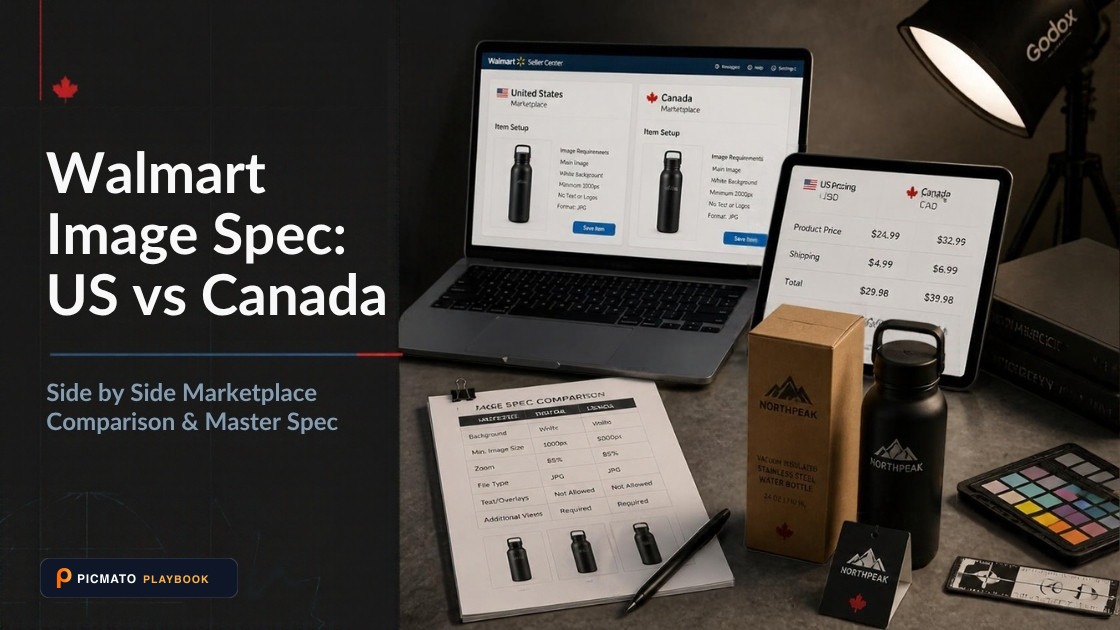
Side-by-side breakdown of resolution thresholds, aspect ratios, and bilingual packaging rules across US and Canada.
Walmart US and Walmart Canada publish different image specs, and the gap is wide enough to fail a submission. Walmart US asks for 2200 x 2200 pixels, 1:1 square, RGB, 8 bits per pixel and files 5MB or less, on a seamless white background at 255/255/255. Its zoom minimum is 1500 x 1500, and GIF is not permitted. Walmart Canada's item image page caps files at 1 MB and recommends 2000 x 2000 at 300 ppi. It accepts GIF but not animated GIF, and it unpublishes any SKU whose primary image is under 500 x 500. Build one master file at 2200 x 2200, JPEG, sRGB, under 1 MB, and it clears both.
A second problem sits underneath that one. Walmart Canada has two live image pages, and they contradict each other on file size, zoom minimum, recommended dimensions, swatch size and GIF. The table below sets all three documents side by side with their Last Updated dates. After it you get the spots where a US build breaks a Canada listing and the spots where a Canada build breaks a US one. A single export spec at the end satisfies every page at once.
Create listing images from your product photos
Paste your Amazon, Flipkart, Walmart, or Meesho product link or upload phone shots. Picmato recommends listing image templates tailored to your product. Review the plan and choose which images to generate; a nine-image plan does not guarantee nine finished images or nine visible gallery slots. AI renderers do not guarantee an exact RGB value, so check with a color picker before uploading.
What is the difference between Walmart US and Walmart Canada image requirements?#
Walmart runs two separate documentation sets. Marketplace Learn serves US guidance at one path and Canada guidance under a /ca/ path. Search for walmart image requirements and you can land on either one without noticing. The Canada side has two live image pages, and they do not agree, so the table below has three columns instead of two. Each column header carries that page's own Last Updated date, because the dates are most of the story here.
The sharpest divergence is not a pixel count. It is the auto-unpublish rule. The Walmart Canada item image page says SKUs with primary images below the minimum resolution standard of 500 x 500 pixels are unpublished automatically. The Walmart US page publishes no pixel floor of that kind at all. It has a 1500 x 1500 zoom minimum. It also carries a general line that noncompliance may result in products being unpublished, but no pixel size that triggers it.
A cell reading Not on this page means the requirement does not appear in that page's spec list. It does not prove the rule is absent from the marketplace, only that you cannot cite that page for it. These are documents, not a live validator. Where two pages disagree, build to the stricter number. That habit resolves every conflict below without you having to guess which document Walmart considers current.
| Requirement | Walmart US (updated May 12, 2026) | Walmart Canada, item image guidelines (updated Oct 31, 2024) | Walmart Canada, product content page (updated Feb 25, 2026) |
|---|---|---|---|
| Accepted file formats | JPEG, JPG, PNG, BMP | JPEG, JPG, PNG, BMP, GIF (JPEG or JPG preferred) | JPEG, JPG, PNG, BMP |
| GIF | Not permitted | Accepted, but animated GIFs are not allowed | Not on this page |
| Maximum file size | 5MB or less | 1 MB | 5MB, anything larger fails submission |
| Colour mode | RGB | Not on this page | sRGB (sRGB IEC61966-2.1) |
| Bit depth | 8 bits per pixel | Not on this page | 8 bits per pixel |
| Recommended pixel dimensions | 2200 x 2200 | 2000 x 2000 at 300 ppi | 2200 x 2200 |
| Minimum pixel dimensions for zoom | 1500 x 1500 | 2000 x 2000 at 300 ppi | 1000 x 1000 |
| Absolute minimum size | Not on this page | 500 x 500 at 72 ppi, without zoom | Not on this page |
| Auto-unpublish tied to image size | Not on this page | Primary image below 500 x 500 is unpublished automatically | Not on this page |
| Aspect ratio | 1:1 (square) | Not on this page | 1:1 (square) |
| Background | Seamless white (255/255/255 RGB) | Not on this page | Seamless white (R255, G255, B255) on silo images |
| Framing | Crop as close as possible to the image frame | Not on this page | 2.5% white border, product must not touch the frame edge |
| Resolution in ppi | Not on this page | 300 ppi recommended, 72 ppi at the 500 x 500 floor | 300 ppi, low resolution lowers your content quality score |
| Swatch dimensions | 100 x 100 | 100 x 100 at 72 ppi | 50 x 50 |
| Dropbox URLs | Listed among unsupported URL types | Supported if the URL loads as an image (dl.dropboxusercontent.com) | Supported on the same terms |
| Photobucket URLs | Certain URLs unsupported when they load as HTML pages | Never supported | Not on this page |
| Images in the Content Quality Score | Not on this page | Not on this page | 15% of your total Content Quality Score |
Why do Walmart's two Canada pages disagree with each other?#
Both Canada pages are live, both sit under /ca/ on Marketplace Learn, and neither one points at the other. A seller reading only one of them gets a coherent set of numbers. A seller reading both gets five straight contradictions, listed below. Walmart has not touched the older Canada page since October 2024, while the US page was updated in May 2026.
The likely explanation is a reading of the evidence rather than something Walmart states. The newer Canada page looks like US spec mirrored into the Canada site. Its numbers are the US numbers: 2200 x 2200, 5MB, 1:1, 8 bits per pixel, the same list of allowed URL ports. Its footer is Canadian, with Walmart.ca shopping links and Canadian seller support, so it is genuinely published as Canada guidance.
Do not treat the newer date as a verdict. Walmart does not say which Canada page governs, and both are still served to sellers today. Take the stricter value in every row: 1 MB, 2000 x 2000, 300 ppi. A file built that way satisfies the old page and the new page at once. It is the only position where you are not betting on which document the upload validator was written from.
- Maximum file size: 1 MB on the October 2024 page, 5MB on the February 2026 page.
- Minimum for zoom: 2000 x 2000 at 300 ppi on the older page, 1000 x 1000 on the newer one.
- Recommended dimensions: 2000 x 2000 on the older page, 2200 x 2200 on the newer one.
- Swatch size: 100 x 100 on the older page, 50 x 50 on the newer one.
- GIF: accepted but not animated on the older page, absent from the format list on the newer one.
Why does a Canada listing built from US specs fail on file size?#
File size is the failure most likely to catch you, because it is invisible until submission. A US-spec image can be anything up to 5MB. The Canada item image page specifies a maximum of 1 MB. So a 5MB export is five times over the documented limit on one Canada page and perfectly compliant on the other. There is no reading where a 5MB file is clearly safe in Canada, and no reading where a 1 MB file is a problem anywhere.
Getting 2200 x 2200 under 1 MB is easier than it sounds. A product shot on plain white compresses well, because flat white pixels cost almost nothing in JPEG. Export as JPEG rather than PNG, since a PNG at that size stays in the multi-megabyte range for no visible benefit on a white background. If you land above 1 MB, step the JPEG quality down and check the edges of the product before you check the file size. Compression damage shows up first as haloing on high-contrast edges.
Do not solve file size by shrinking the image. Below 500 x 500 your Canada primary image is unpublished automatically, and anything under the zoom threshold costs shoppers the zoom viewer they use to inspect detail. Pixels are what you are graded on. Bytes are a compression setting. There is a separate post in this series on what actually unpublishes a Walmart listing, linked below.
Which image hosting URLs does Walmart accept?#
The rule that reverses outright between countries is Dropbox. The Walmart US page lists Dropbox URLs among the URL types it does not support. Both Canada pages support Dropbox as long as the URL loads as an image. The Canada item page tells you exactly how: replace www.dropbox.com with dl.dropboxusercontent.com and you generally get a valid URL. A seller who reads the .ca page, hosts on Dropbox, then submits to Walmart US is following documented Canada guidance into a documented US rejection.
Photobucket splits the same way, more quietly. Canada says Photobucket URLs are never supported, because they load as HTML pages even when the URL ends in a valid file type. The US page says certain Photobucket URLs are not supported, for the same reason. Canada's never is absolute. The US wording leaves a gap. Neither is worth testing on a live listing. The rest of the URL rules are shared, and the US page and the Canada product content page word them almost identically. A plain https URL on storage you control, ending in .jpg, is the option nobody argues about.
- The URL must end in an image file type, such as .jpg or .png.
- The URL must be publicly accessible, with no login in front of it.
- It must return an image, not an HTML page that happens to show one.
- No query strings in the URL.
- No unencoded special characters in the path.
- The port must be 8080, 80, 443 or 8443.
Does Walmart want a white border or a tight crop?#
The Walmart Canada product content page requires silo images to sit on a seamless white background at R255, G255, B255. The product must not touch the edge of the frame, which leaves a 2.5% white border. The Walmart US page says close to the opposite, in prose. Crop the item as close as possible to the image frame, and avoid excessive background space around the item. One is a number, the other is an instruction. They pull in different directions, but they are not incompatible.
Keep the 2.5% border. It is the only explicit framing number Walmart publishes anywhere, and a 2.5% margin is not excessive background space by any fair reading. It also clears Amazon. Amazon staff restate the rule in the Seller Central forums as the product filling at least 85% of the main image frame. A 2.5% margin per side leaves a box 95% wide, roughly 90% of the frame area.
One warning if you read both Canada pages in the same sitting. The older page says no watermarks, advertising language, text overlays, coupons or borders can be shown. The newer page requires a 2.5% white border. Those are not in conflict. The first means a drawn or decorative border, a frame around your photo. The second means white margin, empty background between the product and the edge. Quoted side by side they look like Walmart banning the thing it requires.
Do Walmart images need to be 300 ppi?#
Both Canada pages state 300 ppi. The US page states no ppi or dpi figure anywhere on it. If that looks like a quality gap between the two countries, it is not. At a fixed pixel count, ppi is a metadata tag. It tells a printer how large to print the file. It changes nothing about how many pixels a browser has to work with. A 2200 x 2200 JPEG tagged 300 ppi and the same file tagged 72 ppi are pixel for pixel identical on screen.
So satisfy the Canada line the cheap way. Set the resolution field to 300 in your export dialog, leave the pixel dimensions alone, and turn resampling off. The Canada page names the thing you must not do: enlarging a low-resolution image to meet these requirements, because it will decrease your image's quality. An 800 x 800 shot stretched to 2200 x 2200 is a soft image wearing a good metadata field. Pixel count is the number that changes what a shopper sees, because it decides whether zoom is available. Our post on Walmart zoom image size covers those thresholds.
How do you build one master file that passes both countries?#
Every conflict above resolves the same way. Take the strictest value in each row of the comparison table, and no page objects: a file that beats a page's own minimum still meets it. One export then covers both marketplaces, and you stop rebuilding files per country. Set it once as an export preset and the country split stops costing you a second build. Here is the whole spec.
A file built this way is compliant in the US. 2200 x 2200 is the recommended size, well above the 1500 x 1500 zoom floor and far under 5MB. It is RGB, it is 1:1, and the background is the exact value the page names. It is compliant on both Canada pages too. It sits above the 500 x 500 auto-unpublish floor and above the 1000 x 1000 zoom minimum on the newer page. It also clears the 2000 x 2000 recommendation on the older one. It is under the 1 MB cap, tagged 300 ppi, square, white and bordered.
Check the background before you upload. If the image came out of an AI renderer, the background is very likely near-white rather than exactly 255/255/255. Picmato, for instance, imports a Walmart or Amazon product URL, and its main image is directed to a plain white studio background. No AI renderer guarantees an exact RGB value. Open the finished file, hit the background with a colour picker, and fix it with a levels adjustment if it reads 252. Picmato does not size files to Walmart's 2200 x 2200 spec, and nothing it produces checks a finished file against Walmart's rules. The export settings in the table above stay your job.
| Setting | Build to this | Why it works |
|---|---|---|
| Pixel dimensions | 2200 x 2200 | The US recommended size, and above every zoom floor on all three pages |
| Aspect ratio | 1:1 square | Stated on the US page and the Canada product content page |
| File format | JPEG | Accepted on all three pages, and the only realistic way under 1 MB at this size |
| Colour mode | sRGB | US says RGB, the Canada product content page says sRGB IEC61966-2.1 |
| Bit depth | 8 bits per pixel | Stated on the US page and the Canada product content page |
| Background | Seamless white, 255/255/255 | The same value on the US page and in the Canada silo rule |
| Framing | 2.5% white margin on all sides | Required for Canada silo images, and still a tight crop for the US |
| Resolution tag | 300 ppi, no resampling | Satisfies the Canada ppi line without changing a single pixel |
| File size | Under 1 MB | The strictest number Walmart publishes, so it clears the 5MB pages too |
What does each country's page say that the other does not?#
The Canada product content page tells you what images are worth: 15% of your total Content Quality Score. The Walmart US image page mentions no content scoring at all. The same Canada page warns that a low-resolution image earns you a lower content quality score. That is the closest either country comes to linking image quality to a number Walmart shows back to you. It also has no US counterpart: the same path without /ca/ returned a no-data page when we checked in September 2026.
Canada also defines four image types the US page never names. Silo is the product on white with the 2.5% border. Lifestyle is a professionally styled environment, cropped full bleed to the square. Graphics is a silo or lifestyle shot with overlaid graphics, icons or explanatory text. Detail is a close-up on features, swatches or hardware. For planning a shot list, that taxonomy beats anything on the US page, and it works just as well for a US listing. Three instructions run the other way and appear only on the US page. They are below.
- Upload a minimum of four images per listing, which the US image guidelines page calls a recommendation.
- Use the 14-digit GTIN in the file name.
- An item will not publish until you replace the placeholder image with an actual product image.
All dimensions, RGB requirements, and technical guidelines in this playbook are verified directly against official 2026 seller portal specifications (Amazon Seller Central, Walmart Marketplace, Flipkart Seller Hub, and FSSAI standards).
Last reviewed for policy compliance: Sep 30, 2026
Frequently asked questions
Can I use the same image file on Walmart US and Walmart Canada?
Yes, if you build to the stricter number in every row. A 2200 x 2200 JPEG in sRGB, 8 bits per pixel, on seamless white at 255/255/255, tagged 300 ppi, with a 2.5% white margin, saved under 1 MB, satisfies the Walmart US page and both Walmart Canada pages at once. Build to the loosest numbers instead and the file only works in one country.
What is the maximum image file size on Walmart?
It depends which page you read. The Walmart US image guidelines say 5MB or less. The Walmart Canada item image page, last updated October 2024, says 1 MB. The Walmart Canada product content page, last updated February 2026, says 5MB and warns that anything larger causes a failed submission. Walmart does not say which Canada page governs, so keep Canada files under 1 MB.
Does Walmart Canada really unpublish listings automatically over image size?
That is what the documentation says. The Walmart Canada item image page states that SKUs with primary images below the minimum resolution standard of 500 x 500 pixels are unpublished automatically. The Walmart US image page publishes no equivalent pixel floor. It says only that noncompliance may result in products being unpublished, without naming a size that triggers it, which makes the Canada rule the sharper one.
Can I host Walmart product images on Dropbox?
For Walmart Canada, yes, if the URL loads as an image. Walmart Canada tells you to replace www.dropbox.com with dl.dropboxusercontent.com to create a valid URL. The Walmart US page lists Dropbox URLs among the URL types it does not support. Photobucket is never supported in Canada, and certain Photobucket URLs are unsupported in the US because they load as HTML pages.
Do I need to upscale my images to 300 ppi for Walmart Canada?
No. At a fixed pixel count, ppi is only a metadata tag, so a 2200 x 2200 file can carry a 300 ppi tag without a single pixel changing. Set the resolution field in your export and leave resampling off. Walmart Canada warns directly against enlarging a low-resolution image to meet the requirement, because it decreases image quality. The Walmart US page states no ppi figure at all.
Sources & Reference Documentation
- Walmart Marketplace Learn (US), Product detail page: Image guidelines and requirements, Last Updated May 12, 2026
- Walmart Marketplace Learn (Canada), Item image guidelines, Last Updated Oct 31, 2024
- Walmart Marketplace Learn (Canada), Product content page image guidelines and requirements, Last Updated Feb 25, 2026
- Walmart Marketplace Learn, the US path for the product content page image guidelines. This URL returns a no-data page and is listed as evidence that no US twin exists (checked September 2026)
- Amazon Seller Central Forums (Amazon-authored): Product Photography Standards, source of the 85% fill figure
Related on Picmato
Recommended Playbooks & Market Guides
Platform policies, image compliance documentation, and conversion frameworks.
Walmart Image Size for Zoom: 1,500 or 1,000 Pixels?
Walmart's US spec page says 1,500 x 1,500 for zoom, but the only Walmart page that scores a defect is Walmart Canada's dashboard guide, and it fires below 1,000 pixels. Here is which number governs what, and the one pixel size that clears all of them.
What Image Problems Actually Unpublish a Walmart Listing, and the 1000 x 1000 Myth
Walmart's US documentation lists one image-related unpublish reason code: no primary image. There is no pixel threshold that takes a US listing down, and the 500 x 500 automatic unpublish rule everyone half-remembers is Canadian.
Can You Use Your Amazon Images on Walmart? What Transfers and What Fails
Walmart's own guidelines say most Amazon image URLs can be accepted if they meet its rules. Here are the rules that trip a straight copy: the square crop, the 5MB cap, the query string in your CDN URL, and the claim overlays Walmart bans outright.