Listing Image Types: Ten Groups of Shots, Explained
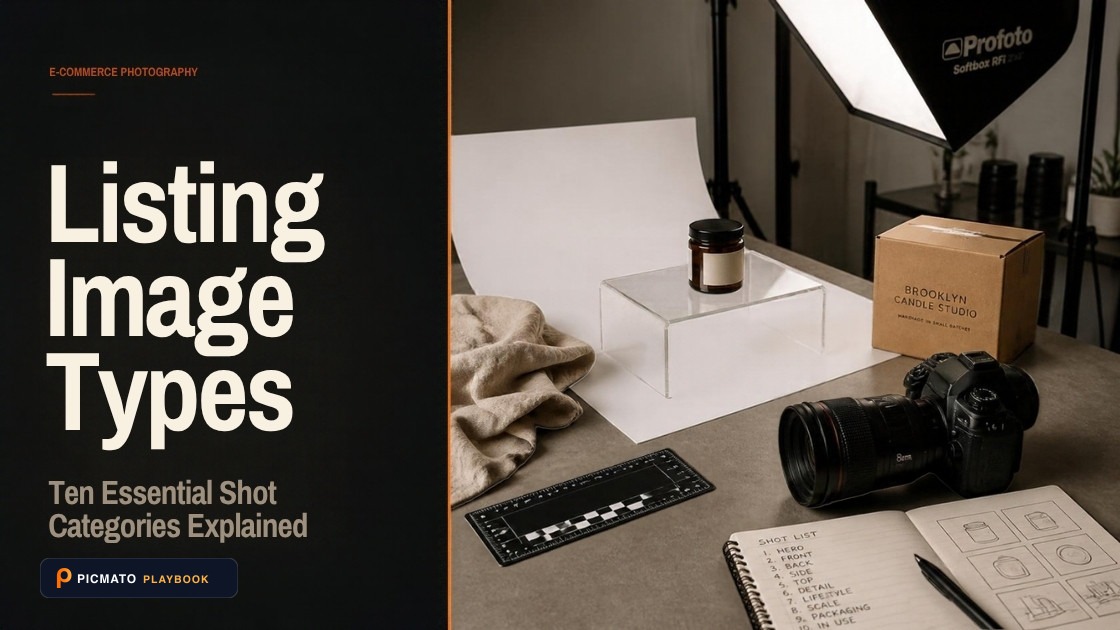
A complete gallery balances pure white hero shots with lifestyle, dimensional, packaging, and comparison images.
A listing gallery is built from a small number of repeatable shot types, and they fall into ten groups: Hero, Benefit, Function, Lifestyle, Detail, Specifications, Trust, Package, Sensory and Alternate View. Many carry no text at all. Seven assert something only a photograph of one specific face, view or printed panel can show, so they should not be made when that photograph does not exist.
The list is a planning aid, not a quota: no listing uses every type, and none of it is an industry standard. These familiar template names describe the job each image does. Picmato recommends listing image templates for your product using your listing and photos, then creates product-specific content and compositions for them. The names describe image categories, rather than fixed layouts or a library where every template is available for every product. The split that earns its place is which shots your existing photographs can honestly support, and which ones need a picture of the box or the printed label itself.
Create listing images from your product photos
Paste your Amazon, Flipkart, Walmart, or Meesho product link or upload phone shots. Picmato recommends listing image templates tailored to your product. Review the plan and choose which images to generate; a nine-image plan does not guarantee nine finished images or nine visible gallery slots. AI renderers do not guarantee an exact RGB value, so check with a color picker before uploading.
What does a listing shot type name?#
A shot type names the job one image does and whether words are allowed on it. A hero shot proves what the thing is. A size guide proves how big it is. A nutrition panel copies what is printed on the pack, row by row. Once you plan in jobs, a gallery stops being a pile of pictures. It becomes a short list of questions you answer in order, with the most expensive one first.
The types sit in ten groups. Plan with the group. Noticing that you have nothing at all from Trust is quicker than reading every row and guessing.
None of this is an official taxonomy. Amazon and Walmart publish file rules rather than shot-type lists, and Flipkart and Meesho publish less than that, so nobody can hand you a canonical list. The names here come from that catalogue rather than from any public page, so treat them as one tool's inventory on the date of writing. The names will not match another tool's names. The jobs behind them will.
What are the common listing shot types?#
Here is every type in the list, grouped by the job it does. Read the last two columns first. Text says what words suit the image. The final column says whether the type needs a photograph taken of that specific face, view or panel. Do not make one of those without it. Screenshot the table and plan against it.
Some types do nothing but show the product clearly, with no text, and they are the shots a thin gallery is usually missing. Hero Image is the one built for the main slot, and in Picmato the main image is directed to a plain white studio background. AI renderers do not guarantee an exact RGB value, so open the finished file and check the background with a colour picker before you upload it anywhere.
| Group | Shot type | What it shows | Text | Needs a photo of that view |
|---|---|---|---|---|
| Hero | Hero Image | Product alone on plain white | None | No |
| Hero | Flat Lay | Neat top-down arrangement | None | No |
| Benefit | Key Features | Main features, each pointed at | Headline, proof line, up to 4 labels | No |
| Benefit | Hero Badge | Hero plus one certification or warranty badge | One badge | No |
| Benefit | Before & After | Evidenced transformation, two states | Labels | No |
| Benefit | Feature Spotlight | One strong feature per image | Headline plus proof | No |
| Function | Functional Collage | Several uses in one frame | Headline plus 3 numbered labels | No |
| Function | Component Breakdown | Parts laid out and named | Labels | No, needs separable parts |
| Function | Setup Guide | Installation or assembly steps | Labels | Yes, the parts or in-box items |
| Function | Usage Timeline | The stated dose, frequency or duration | Labels | No |
| Lifestyle | Lifestyle | Product in the room it belongs in | Headline | No |
| Lifestyle | Action Shot | Product in motion | None | No |
| Lifestyle | Seasonal Theme | Festive or seasonal styling | None | No |
| Lifestyle | On Model | Worn accurately by a model | None | No |
| Detail | Material Close-up | Texture and finish up close | None | No |
| Specifications | Size Guide | Dimensions typeset on the image | Measurements only | No |
| Specifications | Scale Reference | Product in a hand for size | None | No |
| Specifications | Tech Specs | Technical specifications as a table | Headline plus a table | No |
| Trust | Problem vs Solution | The problem beside the fix | Labels | No |
| Trust | Trust Badges | Stated certifications and guarantees | Headline plus labels | No |
| Trust | Quality Highlight | Evidenced quality and material comparison | Headline plus paired labels | No |
| Trust | Sustainability | Stated sustainability certifications | Headline plus labels | No |
| Trust | Warranty & Support | Stated warranty and support terms, as a table | Headline plus a table | No |
| Trust | Nutrition Facts | Panel rebuilt from the pack label | Data panel | Yes, a readable photo of the panel |
| Trust | Claim On Skin | The claimed result on skin, product out of frame | Headline plus proof | No, cosmetics only |
| Trust | Consumer Study | The pack's own study figure, with its citation | Headline plus proof | Yes, the printed claim and its footnote |
| Package | What's Included | Everything in the pack, counted | Labels | No, a stated contents list |
| Package | Packaging | The pack as it arrives | None | Yes, a photo of the pack |
| Package | Gift Packaging | Premium gift pack | Headline, optional proof | Yes, a photo of the pack |
| Sensory | Serving Suggestion | Food or drink served | Headline plus proof | No |
| Sensory | Ingredients | Named ingredients or components | Labels only | No |
| Sensory | Formula Diagram | How the formula works, as a schematic | Labels | No, a named ingredient or component |
| Alternate View | Close-up Angles | A grid of close-ups, each from a different angle | None | Yes, two or more camera positions |
| Alternate View | Rear View | Accurate view of the back | None | Yes, shot from behind |
Which shot types need a specific photograph?#
Seven of these types need a photograph of a specific face, view or printed panel: Packaging, Gift Packaging, Nutrition Facts, Consumer Study, Setup Guide, Rear View and Close-up Angles. No product text tells anyone what the box or the back of a product looks like, so a pack shot without a pack reference would be invented. Without that photograph, skip the type.
The viewpoint shots are where sellers expect a shortcut. Rear View needs a photograph shot from behind. Close-up Angles needs photographs of the product from at least two different camera positions, because ten frames shot front-on are still one angle. What sits on a face you never photographed cannot be reasoned out from the faces you did. Absence has to be stated to be honoured. Asked for the back of a product, a model fills the gap with something plausible unless it is told the reference does not show it.
In Picmato every image starts from photographs of your product. Nothing is produced from a description alone.
- Skip without the right photograph: Packaging, Gift Packaging, Nutrition Facts, Consumer Study, Setup Guide, Rear View and Close-up Angles.
- Worth making only when your listing states it: Component Breakdown needs separable parts, What's Included a stated contents list or pack count, Size Guide stated dimensions, and Formula Diagram a named ingredient or component.
- Fine from any adequate photograph: the rest, as long as they fit what the product is. A lifestyle scene or a material close-up of the real product is still the real product, whatever the listing text says.
Which shot types carry text on the image?#
Whether a shot carries words follows from the job it does. Ten types in the table carry none at all, and most of a strong gallery is photographs. Words belong on the few shots whose job is to state something a picture cannot state alone. In Picmato the main image is briefed with no text, and each other image's brief decides whether it needs any.
Keep the words short. A headline of six words is readable at thumbnail size on a phone. A paragraph is not readable anywhere, and a shot that seems to need one is usually a shot doing two jobs. Split it into two images and both get read. A data panel, such as nutrition facts, should copy the rows off the product's own label rather than author anything, which is why it needs a photograph of that label.
Some types want less than their text load allows. Hero Badge carries one badge and nothing else. Ingredients works as labels with no headline. Size Guide drops the headline so the measurements get the room. Tech Specs and Warranty & Support read best as rows in a table.
| Text load | What it allows |
|---|---|
| None | No headline, no subhead, no labels |
| Headline | One headline, six words maximum |
| Headline plus proof | Headline up to eight words, plus a proof line carrying a number or a verbatim label phrase (optional on Gift Packaging) |
| Callouts | Up to six labels or table rows of four words each, usually under a headline, tightened per type |
| Labels | Two to six short labels laid out as a diagram, with an optional headline |
| Data panel | No headline, rows copied from the pack's own label |
Which shot types can show a person?#
Seven of these types suit a person in frame: Lifestyle, Problem vs Solution, Action Shot, On Model, Before & After, Scale Reference and Claim On Skin. A feature shot can go either way: a feature proven in use can show hands, and one proven by a close-up cannot. Keep everything else product-only, which stops a model wandering into a frame whose job is the product.
If you use a brand character in Picmato, pick one for a listing set, or up to 2 when you regenerate a single image. In a listing set it goes into every image whose brief plans a person, so how many images carry it depends on the set planned for your product, and a set can plan none. You can add one to any single image when you regenerate it. Each image with your character is rendered from its portrait, so look at every face before you upload.
If you generate a photorealistic person, Amazon has a metadata rule as of late July 2026. Images and video containing AI-generated people must carry the IPTC keyword contains-synthetic-performer in the dc:subject XMP field. Amazon says it will add a customer-facing indicator. Photographs of real people that were altered with AI tools are exempt.
Should you use every shot type on one listing?#
No. A gallery has room for a handful of images, not the whole catalogue. Treating the catalogue as a checklist produces a long run of near-duplicates, which is worse than a short gallery. The shopper scrolls past six angles of the same face. They give up before reaching the shot that would have answered the question holding them back.
Only some types apply to every product. The rest depend on what the product is, what the listing states, or what your photographs show. On Model needs something wearable, and Setup Guide something that assembles. Nutrition Facts needs a food, drink or supplement whose panel could be read from your photo, and Claim On Skin is for cosmetics only. Many types disqualify themselves before you make a single decision.
Picmato recommends listing image templates tailored to your product, with a distinct job for each image. Pick one Hero, one Lifestyle and one Detail shot, then spend what is left on the objection that loses you the sale. Leave out any type your product data cannot support, and review anything generated before it goes live.
- Start from the question that loses the sale. If buyers keep asking about size, Scale Reference and Size Guide outrank a seasonal theme.
- Check group coverage. Nothing at all from Trust is a bigger hole than a missing viewpoint.
- Drop anything your photographs cannot support. A withheld shot costs you nothing, and an invented one can cost you a return.
- Stop when the next shot repeats the last one. Two angles of the same face are one shot and one wasted slot.
All dimensions, RGB requirements, and technical guidelines in this playbook are verified directly against official 2026 seller portal specifications (Amazon Seller Central, Walmart Marketplace, Flipkart Seller Hub, and FSSAI standards).
Last reviewed for policy compliance: Oct 6, 2026
Frequently asked questions
Do I need every listing image type on one listing?
No listing needs them all. A real gallery uses a handful chosen for the product, and Picmato recommends listing image templates based on your product details and photos. Only some types apply to every product. The rest depend on what the product is, what the listing states and what your photographs show, so many types rule themselves out before you choose anything.
Which listing image types need a photograph of a specific face of the product?
In this list, seven: Packaging, Gift Packaging, Nutrition Facts, Consumer Study, Setup Guide, Rear View and Close-up Angles. Each asserts something only one face, one printed panel or more than one camera position can show, and no amount of product text supplies it. If no photograph shows it, skip the shot rather than invent it. The rest work from any adequate photograph.
Do listing image types change depending on the marketplace?
The types do not change. The same jobs apply whether you sell on Amazon, Flipkart, Meesho or Walmart. What the marketplaces publish is file rules: dimensions, format and background. Fill percentages are rarer. Amazon publishes one, Walmart publishes one in Canada only, and Flipkart and Meesho publish none, so take the spec from your own seller panel.
Which listing image types carry text on the image?
In this list, 10 carry no text at all, and the rest carry one of five text loads: a six-word headline, a headline with a proof line, labels or table rows usually under a headline, a diagram of short labels, or a data panel copied from the product's own label. Several types want less than their load allows. Hero Badge, for example, carries one badge and nothing else. In Picmato the main image is briefed with no text.
Which shot types can include a person or a brand character?
Seven types in this list suit a person: Lifestyle, Problem vs Solution, Action Shot, On Model, Before & After, Scale Reference and Claim On Skin. In Picmato you can pick one brand character for a listing set, or up to 2 when you regenerate a single image, and in a listing set the character goes into every image whose brief plans a person. You can also add one to any single image when you regenerate it.
What happens if a shot type cannot be evidenced for my product?
Leave it out. Picmato's planner is told to plan only images your listing and photographs can support, and to give the reason for each one, which you see before you generate. That is deliberate: a missing shot costs you nothing, and an invented one can cost you a return and a policy problem. Anything that does get generated is yours to review before it reaches a listing.
Sources & Reference Documentation
- Picmato marketplace image enhancement
- Picmato listing analysis and template recommendations
- Amazon Seller Forums, staff post (Manny_Amazon): Listings Lounge, Product Image Requirements
- Amazon Seller Forums, staff post (Jessica_Amazon_): Quick Tip, Product Images
- Amazon Seller Forums, staff post (News_Amazon): You must now tag AI-generated people in listings and A+ content
- Walmart Marketplace Learn Canada, Item Image Guidelines
- Walmart Marketplace Learn Canada, Listing Quality Dashboard
Related on Picmato
Recommended Playbooks & Market Guides
Platform policies, image compliance documentation, and conversion frameworks.
Amazon Listing Image Requirements, Explained
Read Amazon.com image-size guidance, distinguish upload and zoom targets, and prepare accurate main images and galleries with clear source limits.
How to Create White Background Product Photos with AI
Amazon suppresses listings whose main image background is not exactly RGB (255, 255, 255). Here is how the DIY, Photoshop, and AI routes compare for getting there, and the checklist to run on the finished file before you upload.
Amazon main image rejected? Every reason and how to fix it
Off-white backgrounds, text overlays, props, collages, low resolution: every reason Amazon rejects or suppresses main images, and the exact fix for each.