Amazon Review Mining: How to Turn Customer Reviews into High-Converting Listing Images
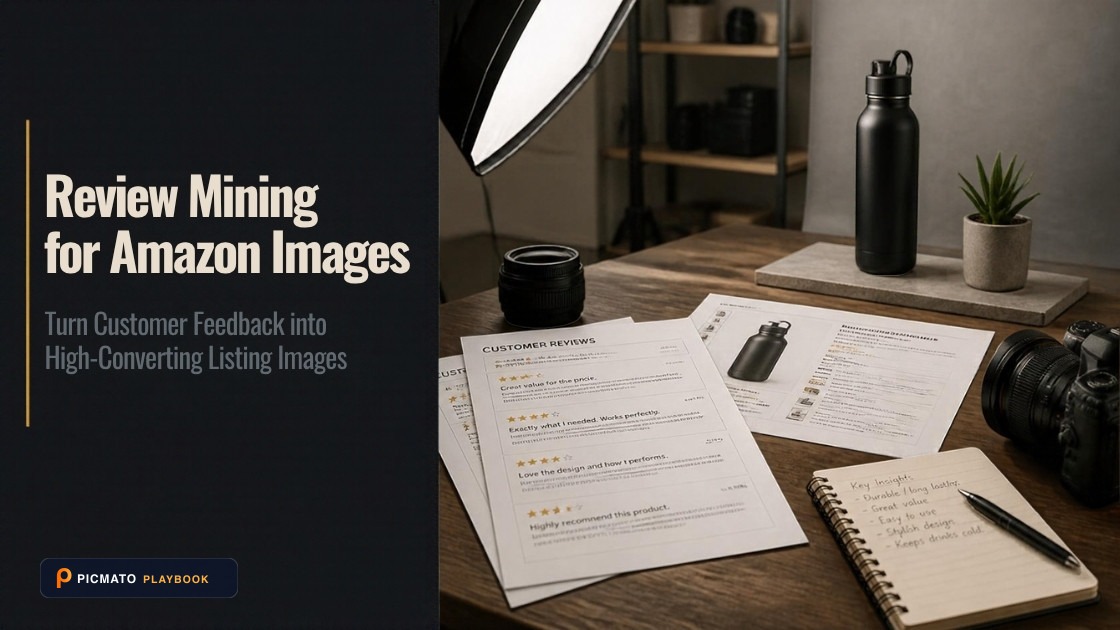
Turn customer review themes and unanswered pre-purchase questions into targeted gallery infographics.
Most e-commerce sellers treat listing photography as an aesthetic exercise, choosing visual layouts based on design trends or competitor screenshots. That guesswork is costly: you invest in a photo shoot without knowing whether the visual information answers what your buyers care about.
Your customer reviews and questions already provide a data-driven creative brief. Shoppers write the exact reasons they purchased and the doubts that almost stopped them. Here is a practical method to extract those signals and build gallery images that address real buyer friction.
Create listing images from your product photos
Paste your Amazon, Flipkart, Walmart, or Meesho product link or upload phone shots. Picmato recommends listing image templates tailored to your product. Review the plan and choose which images to generate; a nine-image plan does not guarantee nine finished images or nine visible gallery slots. AI renderers do not guarantee an exact RGB value, so check with a color picker before uploading.
Why do customer reviews provide the ultimate visual brief?
Spiegel Research Center research shows that products with verified reviews convert significantly higher than products without feedback. Beyond social proof, reviews document unfiltered consumer expectations. When customers write a review, they highlight what delighted them, what confused them, and what disappointed them upon unboxing.
Every review hands you two distinct inputs: a conversion driver (the key feature or outcome that triggered the purchase) or an objection (the hesitation, sizing question, or compatibility doubt that caused friction). When your listing images ignore those points, shoppers leave your detail page with unanswered questions.
How do you categorize review themes into image concepts?
Start by auditing 30 to 50 customer reviews across your own listing and top competitor listings. Group comments into recurring clusters: dimensions and fit, material durability, ease of setup, included accessories, or real-world performance.
Rank these clusters by frequency. The top two positive clusters become your primary feature callouts; the top two negative clusters become your visual objection-killers.
| Review Theme Cluster | Buyer Sentiment Signal | Gallery Image Concept |
|---|---|---|
| Dimensions and Fit | “Smaller than I expected from the photos” | Scale reference slide showing product beside everyday benchmark objects |
| Ease of Assembly | “Setup instructions were confusing” | Step-by-step visual workflow showing quick 3-step assembly |
| Material and Durability | “Feels much sturdier than cheaper plastic alternatives” | Material close-up slide highlighting premium metal hardware and weatherproofing |
| What is Included | “Did not come with the power adapter shown in the lifestyle shot” | Clear 'What is Included' inventory frame isolating shipped contents |
Mining competitor reviews for comparison opportunities
Competitor reviews are public market research. Filter 2-star and 3-star reviews on the category bestseller to identify where incumbent brands fail. If buyers repeatedly complain that a competitor's zipper breaks or their lid leaks, that insight becomes your secondary image spotlight.
Keep your comparison factual and compliant with Amazon's rules. Highlight your engineered solution (such as reinforced double stitching or a food-grade silicone seal) rather than attacking a named brand or displaying unauthorized competitor trademarks.
Turning Customer Q&As into visual objection-busters
The 'Customer Questions & Answers' section on an Amazon detail page represents high-intent friction. These are queries from shoppers who were ready to purchase but stopped because your bullet points and photos did not provide clarity.
If customers frequently ask 'Will this fit under standard kitchen cabinets?' or 'Is this compatible with USB-C laptops?', design a dedicated infographic that answers that exact question visually. A single graphic clarifying compatibility can eliminate hundreds of abandoned checkout sessions.
Formatting review-derived infographics for fast mobile scanning
Do not paste dense review paragraphs onto your listing photos. Mobile shoppers swipe quickly and rarely read blocks of fine print. Extract the core insight and convert it into a punchy 3-to-5 word benefit headline paired with an illustrative visual crop.
Use clean typography, high contrast, and legible badges. Ensure the key specification (such as 'Fits 15.6-inch Laptops' or 'Dishwasher Safe') is instantly readable on a smartphone screen without pinching to zoom.
What should you check before uploading review-derived images?
Ensure your graphics comply with marketplace content policies before committing changes to Seller Central.
- Avoid fabricating review quotes or attributing customer statements as verified claims.
- Verify that all depicted specifications and compatibility statements match the exact model shipped.
- Keep promotional guarantees, star rating badges, and review counts out of the image frame.
- Check legibility on both mobile phone displays and desktop monitors.
- Inspect exported pixel dimensions to ensure sharp resolution and zoom capability.
Where can Picmato help, and what must you still verify?
Picmato recommends listing image templates tailored to your product. A nine-image plan describes the planned main image and eight further image purposes based on your listing context; it does not promise nine finished images or nine visible Amazon gallery slots. Review the available plan and choose which images to generate.
The main-image brief is directed to a plain white studio background. AI renderers do not guarantee an exact RGB value; inspect the exported file with a color picker before uploading. Check the product shape, sold quantity, dimensions, every rendered word and any depicted accessories against your own evidence.
Use original packaging photographs for label details, identifiers, warnings and authorized marks. Picmato does not check marketplace or legal compliance and does not verify a translation. This guide does not establish successful URL imports from every Amazon country domain. Use your own product photos when an import is unavailable.
Frequently asked questions
Can I quote an actual customer review directly on an Amazon listing image?
Amazon's Customer Review Creation Guidelines and Seller Code of Conduct advise against misleading attribution. Adding customer testimonials or star rating graphics directly onto product images can trigger policy suppression. The best practice is extracting the underlying factual insight and presenting it as a documented product specification or benefit rather than a subjective review quote.
How many customer reviews do I need to analyze before spotting useful patterns?
Analyzing 30 to 50 reviews across 3-star, 4-star, and critical 1-star ratings is typically enough to uncover recurring themes. You will quickly notice repeated questions about sizing, assembly, compatibility, or packaging that your listing images can resolve.
Should I focus more on positive 5-star reviews or critical reviews?
Both are necessary. 5-star reviews reveal primary conversion drivers (the main reasons customers buy and celebrate the product), while 1-star to 3-star reviews reveal gaps in customer expectations and usability issues that drive returns. Map positive points to feature highlights and critical points to objection-handling slides.