Walmart 360 Spin Images: The Exact 24 Frame Rule
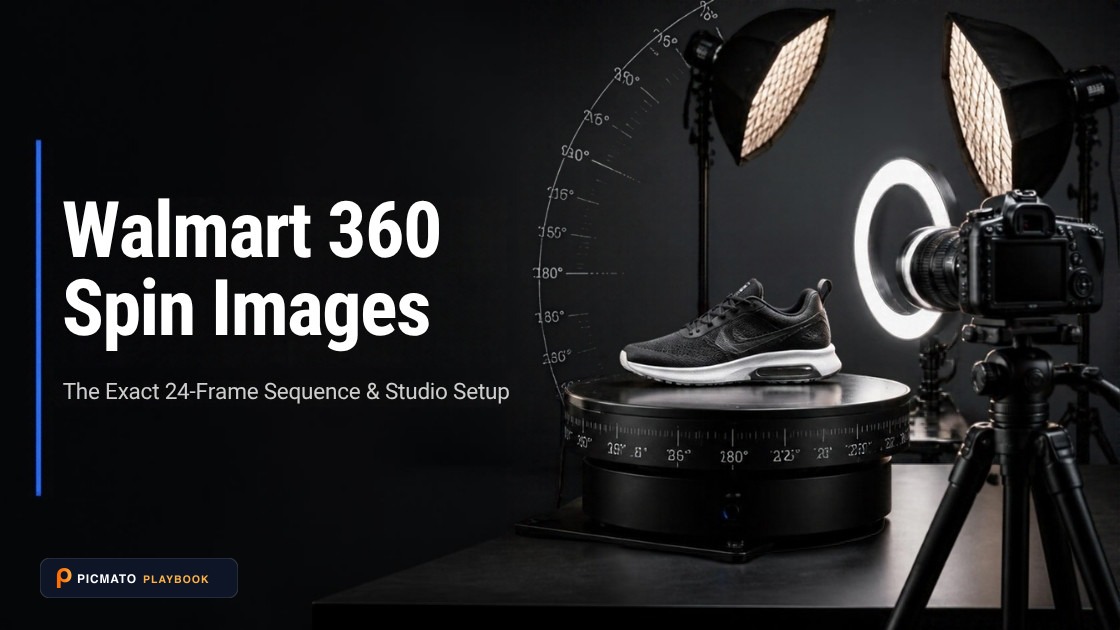
Walmart's exact 24-frame turntable specification allows shoppers to inspect products from every angle.
A Walmart 360 spin needs exactly 24 images. Each frame must be a .jpg, .jpeg or .png file under 1MB. The frames must be in order of rotation and saved in a clockwise direction. Twenty four frames over a full circle is one frame every 15 degrees. If you only have 12 frames, Walmart tells you to duplicate them in order so you still submit 24. If you have more than 24, you select only 24. You upload the set yourself in the Media Library in Seller Center, and you give the spin a name. The format, count, size and rotation rules come from Walmart's rich media technical requirements, and the spin name and upload route from its submission checklist, both last updated 5 March 2026.
There is one wrinkle. A newer Walmart guide says you can add up to 24 images, so the two official pages do not agree on whether 24 is a fixed count or a ceiling. This post covers that contradiction and which number to follow. Then: how to shoot 24 even frames, and what to do when your rig gave you 36 or 72. The submission checklist changed in March 2026 and no longer runs through a support ticket. Walmart's thin video spec and the vendor conversion numbers come at the end.
Create listing images from your product photos
Paste your Amazon, Flipkart, Walmart, or Meesho product link or upload phone shots. Picmato recommends listing image templates tailored to your product. Review the plan and choose which images to generate; a nine-image plan does not guarantee nine finished images or nine visible gallery slots. AI renderers do not guarantee an exact RGB value, so check with a color picker before uploading.
How to Shoot and Submit Walmart 360 Spin Images
Complete guide to photographing a 24-frame, 15-degree turntable rotation and uploading compliant 360-degree spin photography to Walmart Seller Center.
Set up a calibrated turntable rig
Position your product over the precise center of rotation on an indexed turntable, and lock manual camera exposure, focus, and white balance.
Capture exactly 24 frames at 15-degree increments
Rotate the turntable clockwise 15 degrees per shot, capturing exactly 24 consecutive frames without altering focal length or lighting.
Name files sequentially with zero padding
Name the exported files in alphabetical sequence (e.g. frame_01.jpg through frame_24.jpg) to preserve the exact clockwise rotation order.
Verify file sizes under 1 MB per frame
Inspect the largest frame in the set to confirm every individual image remains strictly under Walmart's 1 MB per-frame rich media limit.
Submit to Walmart Media Library by GTIN
Upload the 24-frame set to Seller Center Media Library, assign the item's 14-digit GTIN, and allow up to 4 hours for catalog processing.
What are the exact Walmart 360 spin image requirements?#
Walmart's rich media technical requirements document, last updated 5 March 2026, is short. Image files must be in the .jpg, .jpeg or .png format. You must use exactly 24 images, each under 1MB in size. The images are in order of rotation and saved in a clockwise direction. If you have 12 images, you duplicate them in order to submit 24. If you have more than 24, you select only 24 to submit. That is the entire published spin spec.
Two things sellers expect are missing. Neither the requirements document nor the Media Library guide states a pixel dimension for spin frames. So the 1MB per file cap is the constraint that shapes your export. There is also no playback speed, because the shopper drags the spin rather than watching it play. Your whole job is 24 clean frames at even intervals, in the right order, each small enough to clear the size limit.
Watch the file size gap against your normal gallery work. Walmart's US image guidelines allow still listing images up to 5MB. Spin frames get under 1MB each, and you need 24 of them. If you export the spin at the same pixel size as your hero shot, expect to compress harder than usual. The still gallery numbers, including the zoom threshold and the scored image defects, are covered in the post on Walmart zoom image size.
| Requirement | Value | Why it bites |
|---|---|---|
| File format | .jpg, .jpeg or .png | An animated GIF export is dead on arrival. GIF imagery is not permitted in Walmart rich media. |
| Number of frames | Exactly 24 | Most turntable rigs default to 36 or 72. Only some of those counts reduce to 24. |
| File size | Under 1MB per frame | Still gallery images may be up to 5MB on Walmart US. Spin frames get a fifth of that, 24 times over. |
| Frame order | In order of rotation | Upload order is spin order. Zero pad filenames so frame 2 does not sort after frame 10. |
| Direction | Saved clockwise | Shoot the wrong way and the fix is renaming 24 files by hand. |
| If you have 12 frames | Duplicate them in order to reach 24 | Walmart's own documented fix. The spin still moves in 30 degree steps and looks stepped. |
| If you have more than 24 | Select only 24 | Pick at an even interval or the spin speeds up and slows down as the shopper drags it. |
| Pixel dimensions | Not published | Nothing to hit, so the 1MB cap decides your export settings. |
| Spin name | Required at submission | The current checklist asks for a name for the 360-spin image. Decide it before you upload. |
| Restricted categories | Alcohol, tobacco, firearms, and others | Rich media is restricted for these product types. Walmart documents the upload error for videos. |
Exactly 24, or up to 24? Walmart's own pages disagree#
The technical requirements PDF, dated 5 March 2026, says you must use exactly 24 images, each under 1MB in size. The Media Library guide, dated 15 May 2026, says you can add or drag and drop up to 24 images (JPG, PNG), not exceeding 1MB. Both are live Walmart Marketplace Learn pages. Both are official. The Media Library guide is the newer of the two. One states a fixed count and the other states a ceiling.
Ship exactly 24. Two reasons. The requirements document is the document whose job is the spec, and it is the stricter of the pair. And Walmart's own instruction to duplicate a 12 frame set up to 24 only makes sense if 24 is a floor as well as a limit. Otherwise a 12 frame set would simply be allowed. The newer wording suggests a shorter set will upload. The spec says it should not be there.
Write the stricter number into your brief. If you commission a studio or a freelancer, ask for exactly 24 frames, 15 degrees apart, clockwise, each under 1MB, in JPG or PNG. That specification satisfies both Walmart pages at once. Asking for up to 24 invites a set of 18 frames that matches the newer wording and misses the requirements document.
How to shoot 24 frames: 15 degrees at a time#
One frame every 15 degrees is the number to put on the shot list. On a turntable, mark 15 degree stops or use an indexed table that steps on its own. Without a turntable, mark the floor and walk the camera around a fixed product. That is slower and harder to keep even, but it is the only option for items too big to lift onto a table.
The 1MB cap is the part people underestimate. Twenty four frames of a detailed product compress differently from one clean hero shot. A single busy angle can push over the limit while the other 23 sit comfortably under it. Export the set, sort by file size, and look at the largest file rather than the average. If it is over 1MB, drop the quality or the pixel dimensions across the whole set so every frame stays consistent.
A 360 spin is a rig job, not a rendering job. Tools that generate still listing images, Picmato included, do not produce spin sequences, so book the turntable time separately. Walmart's current guidance also states that AI-generated content must be accurate, truthful, rights-compliant and aligned with Marketplace policies. That is one more reason to capture a real rotation rather than build one.
- Lock exposure, white balance, focus and aperture before frame one. Anything on auto makes the finished spin flicker as the shopper drags it.
- Put the product over the centre of rotation, not the centre of the frame. An off-centre product orbits and wobbles instead of spinning in place.
- Do not zoom, nudge the tripod or change the lighting between frames.
- Check direction on a short test spin. Walmart wants the saved sequence clockwise, and fixing that later means renaming all 24 files.
- Name files with zero padding, such as frame_01 to frame_24, so an alphabetical sort matches rotation order.
- Export every frame under 1MB and verify the largest file, not the average.
- Keep text out of the frames. Walmart's rich media guidance says not to embed text other than a brand logo into an image.
What if your rig shot 12, 36 or 72 frames?#
Rigs rarely default to 24. Common presets are 36 and 72 frames, and phone based spin apps capture whatever you let them. The arithmetic decides what you can salvage. To thin a set down to 24 evenly, the number of frames you shot has to be a multiple of 24. 48 and 72 work. 36 does not, because 36 divided by 24 is 1.5, and you cannot delete half a frame.
The 36 frame case catches people out, because 36 feels like more than enough. It is more than enough data and still the wrong data. Any 24 frames you pick out of 36 leave some 10 degree gaps and some 20 degree gaps. The product then crawls through part of the turn and jumps through the rest. If you are stuck with 36 and cannot reshoot, resampling is a manual job with visible seams. Reshooting at 24 stops is usually faster.
| Frames you shot | Degrees per frame | Reduces to 24? | What to do |
|---|---|---|---|
| 12 | 30 | Yes, by duplication | Duplicate each frame in order to submit 24. Walmart documents this case. |
| 24 | 15 | Already correct | Upload as shot, in clockwise rotation order. |
| 36 | 10 | No. 36 / 24 = 1.5 | No even share can be dropped. Reshoot at 24, 48 or 72. |
| 48 | 7.5 | Yes, keep every 2nd | Keep frames 1, 3, 5 and so on for 24 frames at 15 degrees. |
| 72 | 5 | Yes, keep every 3rd | Keep frames 1, 4, 7 and so on for 24 frames at 15 degrees. |
| Any other count | 360 / count | Only if the count is a multiple of 24 | If it does not divide, reshoot. Uneven selection makes the spin stutter. |
How do you submit a 360 spin to Walmart?#
Walmart's current rich media submission checklist, dated 5 March 2026, asks for very little. For a 360 spin you need exactly 24 images, each under 1MB in size, a Global Trade Item Number for each item, and a name for the 360-spin image. The video ask is in the list below. The next step it gives is one line: use the Media Library in Seller Center to upload rich media.
The Media Library guide, updated 15 May 2026, fills in the operational detail. You can bulk upload to up to 50 GTINs at once. A video title cannot be longer than 200 characters. A video takes less than 60 seconds to process. Assets are published in the Catalog within four hours, so do not judge an upload as failed after ten minutes. If an asset is disabled after it goes live, the Help button in the Seller Center menu bar is the route to Support.
An out-of-date checklist will cost you a reshoot brief. The superseded version, dated 21 May 2024, is still online at its own address. It asks for things the current version does not: an item ID, an external link to downloadable images, a closed captioning filename and a video language. It also routes you to a Seller Support case under Items and Inventory, Rich Media. A guide handing you that list is working from a superseded file. Check the date printed on the PDF. The current one says 5 March 2026.
- 360 spin: exactly 24 images, each under 1MB in size.
- 360 spin: a GTIN for each item.
- 360 spin: a name for the 360-spin image.
- Video: an MP4 video under 100MB.
- Video: a GTIN for every item.
- Video: a name for the video.
- Both: upload through the Media Library in Seller Center.
Is there a Walmart version of A+ Content?#
Walmart's rich media guide carries a table of the rich media types you can use on Marketplace. It has two rows: 360-spin images and video. That is the whole surface. There is no self-serve A+ Content equivalent and no module builder. If you arrived from Amazon expecting a second content area below the fold, Walmart's current seller-facing rich media documentation does not describe one.
Below the fold content is not fiction. Walmart's 2024 rich media checklist described it as available for registered brands and delivered through third party connected content providers, and vendors still sell it as enhanced content. It was dropped from the seller-facing checklist in the March 2026 revision. Treat it as a registered brand and provider track rather than something you switch on yourself in Seller Center.
A few limits apply to everything you put here. GIF imagery is not permitted, on Walmart's stated reasoning that it does not give useful product information the way an informative video does. Rich media is restricted for certain product types including alcohol, tobacco and firearms, and uploads for those return an error. Walmart also reviews rich media and reserves the right to unpublish anything that violates its policy. Our post on what actually unpublishes a Walmart listing covers how that discretion works.
What are Walmart's video requirements for rich media?#
The video spec sits in the same document, and it is unusually thin. Video files must be in the .mp4 format and the file size limit is 100MB. Walmart then says something you rarely see in a spec document. This is typically but not always accepted, and compressed videos are sometimes still rejected by its API call. Plan for a retry at a smaller size rather than treating 100MB as a guarantee.
Closed captioning is optional but recommended for accessibility, and if you upload a captioned file the filename must end with .vtt. Videos must not contain any popups or redirect links. Walmart's accessibility guidance in the same document is more specific than most marketplaces. Captions must not flash more than three times in one second. Level AA compliance requires a contrast ratio of 4.5:1 for normal-sized text and 3:1 for text larger than 18 px. Information should sit at an eighth-grade level of understanding.
Two caption conventions are worth copying. Insert [MUSIC PLAYING] for a music only video and [NO SPEECH] for a silent one, and Walmart notes these can be removed after about 10 seconds. What Walmart does not publish matters just as much: there is no stated resolution, aspect ratio, maximum length or codec for Marketplace video anywhere in that document. The only hard numbers are .mp4 and 100MB. Build to the specs you already use elsewhere.
Do you need a solution provider, and are the lift numbers real?#
Walmart runs a public Solution Provider hub, and its own guide on choosing a provider tells sellers to review the approved Solution Provider list, which sits in the Seller Center App Store rather than on the public hub. What no current Walmart rich media page does is name a provider for 360 spin. The rich media guide names exactly one upload route, the Media Library in Seller Center. If someone tells you spin uploads have to go through a connected content provider, ask them to point at the Walmart page that says so.
Some providers do publish Walmart rich media capability. Salsify and Syndigo are genuine content syndication providers and both market Walmart rich media work, and their own pages are the only place those capabilities are described. None of that makes a provider necessary for one seller uploading one spin. If you already syndicate through one of them, check whether Walmart rich media is inside your contract.
You will also see conversion numbers attached to rich media. Syndigo's own Walmart page says product pages with Enhanced Content from Syndigo see an average 51% increase in conversion rate. That is a vendor's claim about its own product. Salsify's blog, in a post from June 2018, says rich media on the product page has been shown to increase product page conversion rates by up to 30%, citing an Econsultancy blog post rather than Walmart. Walmart publishes no conversion figure for 360 spin. Do not build a budget on either number.
All dimensions, RGB requirements, and technical guidelines in this playbook are verified directly against official 2026 seller portal specifications (Amazon Seller Central, Walmart Marketplace, Flipkart Seller Hub, and FSSAI standards).
Last reviewed for policy compliance: Sep 11, 2026
Frequently asked questions
How many images does a Walmart 360 spin need?
Exactly 24. Walmart's rich media technical requirements, last updated 5 March 2026, say you must use exactly 24 images, each under 1MB, in .jpg, .jpeg or .png, saved in clockwise rotation order. That is one frame every 15 degrees. If you only have 12 frames, Walmart tells you to duplicate them in order so the submitted set still contains 24 images.
Do I need to open a support ticket to upload a 360 spin?
No. Walmart's current submission checklist, dated 5 March 2026, ends with a single next step: use the Media Library in Seller Center to upload rich media. An older 2024 version told sellers to raise a Seller Support case under Items and Inventory, Rich Media, and that older file is still online, so guides quoting it are out of date. Support is now the escalation path when an asset is disabled.
My rig shot 36 frames. Can I use them?
Not directly. Walmart wants exactly 24, and 36 does not divide by 24, so there is no way to drop an even share of frames and keep the spacing correct. Picking 24 out of 36 by eye leaves the product speeding up and slowing down as a shopper drags it. Reshoot at 24 stops, or at 48 or 72 frames, which both reduce cleanly to 24.
Does Walmart have anything like Amazon A+ Content?
Not in the self-serve flow. Walmart's rich media guide, updated 15 May 2026, lists two rich media types and only two: 360-spin images and video. Below the fold content appeared in Walmart's 2024 rich media checklist as a registered brand track run through third party content providers, and vendors still sell it, but a Marketplace seller cannot build it in the Media Library the way you would build A+ Content.
What are Walmart's video requirements for rich media?
The published spec is short: .mp4 format and a 100MB file size limit. Walmart adds that this is typically but not always accepted, and that compressed videos are sometimes still rejected by its API call. Captions are optional but recommended, and the file must end in .vtt. Videos must not contain popups or redirect links. Walmart publishes no resolution, aspect ratio, length or codec requirement.
Sources & Reference Documentation
- Walmart Marketplace Learn: Rich media technical requirements (PDF, updated 5 March 2026)
- Walmart Marketplace Learn: Rich media submission checklist (PDF, current version, updated 5 March 2026)
- Walmart Marketplace Learn: Rich media submission checklist (PDF, superseded version, last updated May 21, 2024)
- Walmart Marketplace Learn: Product detail page rich media (updated 15 May 2026)
- Walmart Marketplace Learn: How to navigate the Media Library (updated 15 May 2026)
- Walmart Marketplace Solution Provider hub (the approved-provider list itself sits behind Seller Center login)
- Walmart Marketplace Learn: Choose a solution provider
- Syndigo Walmart page (vendor marketing, source of the 51% conversion claim)
- Salsify blog, 27 June 2018 (vendor marketing, source of the up to 30% conversion claim)
- Walmart Marketplace Learn (US): Product detail page image guidelines and requirements, source of the 5MB still-image cap
Recommended Playbooks & Market Guides
Platform policies, image compliance documentation, and conversion frameworks.
Walmart Image Size for Zoom: 1,500 or 1,000 Pixels?
Walmart's US spec page says 1,500 x 1,500 for zoom, but the only Walmart page that scores a defect is Walmart Canada's dashboard guide, and it fires below 1,000 pixels. Here is which number governs what, and the one pixel size that clears all of them.
What Image Problems Actually Unpublish a Walmart Listing, and the 1000 x 1000 Myth
Walmart's US documentation lists one image-related unpublish reason code: no primary image. There is no pixel threshold that takes a US listing down, and the 500 x 500 automatic unpublish rule everyone half-remembers is Canadian.
Walmart Image Requirements: US vs Canada, Side by Side
Walmart's US and Canada image pages give different numbers, and Walmart's two Canada pages disagree with each other. Every spec side by side, with the page dates, plus one master file that passes all three.