Shopify Product Image Sizes and Formats (2026): What Shopify Documents
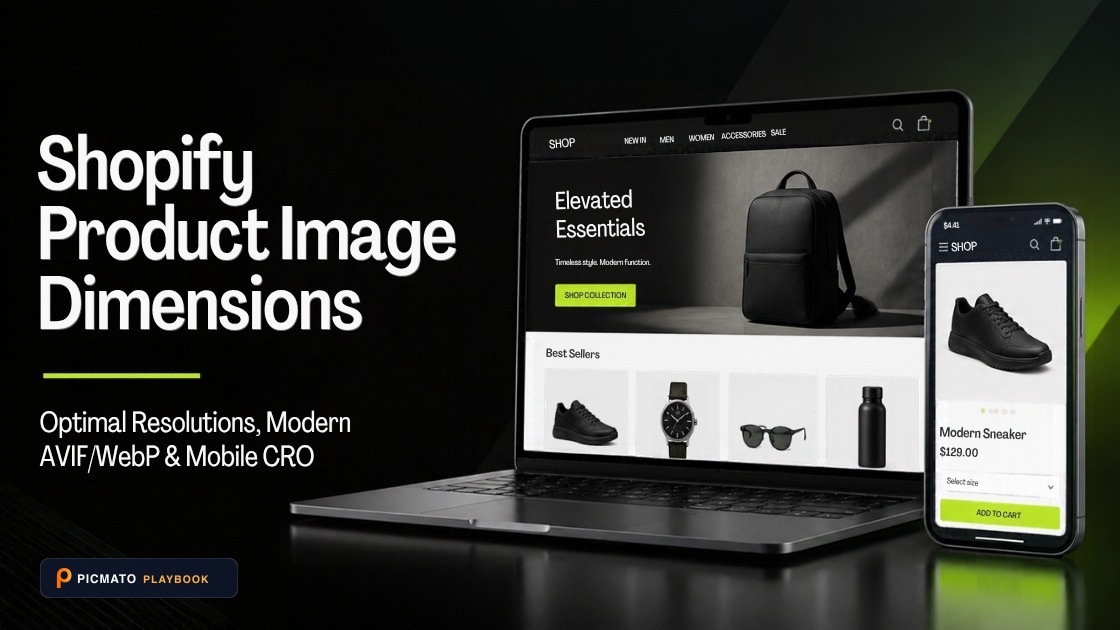
Shopify gives you more freedom than a marketplace. There is no required background and no required aspect ratio. What it does publish is a recommended size for square product images, upload limits, accepted formats, and advice on keeping aspect ratios consistent. This guide sets out those numbers, flags the one place where two Shopify pages disagree, and marks clearly where our own recommendations start.
We checked the Shopify Help Center pages on product media types, adding product media, theme images and alt text, Shopify's developer reference for the image_url filter, and Google's web.dev guide to Largest Contentful Paint on 29 October 2026. This post is due for review by 29 January 2027. All of those pages were publicly readable.
Create listing images from your product photos
Paste your Amazon, Flipkart, Walmart, or Meesho product link or upload phone shots. Picmato recommends listing image templates tailored to your product. Review the plan and choose which images to generate; a nine-image plan does not guarantee nine finished images or nine visible gallery slots. AI renderers do not guarantee an exact RGB value, so check with a color picker before uploading.
What size should Shopify product images be?#
Shopify's product media types page says that for square product images, a size of 2048 x 2048 pixels usually displays best. It also sets the upload limits: images must be smaller than 20 MB, and the same page allows any size up to 5000 x 5000 pixels, or 25 megapixels.
Shopify's theme images page gives a lower pixel limit. It says uploads cannot exceed 20 megapixels or 20 megabytes, and that a file under 20 MB can still fail because of its megapixel count. Until Shopify reconciles the two pages, keep masters under 20 megapixels. A 2048 x 2048 image is about 4.2 megapixels, so it sits well inside both limits.
| Item | What Shopify states | Page |
|---|---|---|
| Recommended square size | 2048 x 2048 px usually displays best | Product media types |
| Maximum file size | Smaller than 20 MB | Product media types, theme images |
| Maximum dimensions | 5000 x 5000 px or 25 megapixels on one page, 20 megapixels on the other | Product media types, theme images |
| Aspect ratio limits | Must be between 100:1 and 1:100 | Adding product media |
| Media per product | Up to 250 images, 3D models or videos | Adding product media |
| Alt text length | 512 characters maximum, 125 or fewer recommended | Adding alt text |
Should you upload PNG, JPEG, WebP or AVIF to Shopify?#
Shopify accepts PNG, JPEG, TIFF, BMP, GIF, SVG, HEIC and WebP for product images. Its two help pages lean different ways on the default. The product media types page says PNG is the best file type for most product images, followed by JPEG. The theme images page says to use JPEG for product images or slideshows, and PNG for line drawings, text and graphics with transparency.
You do not need to convert to WebP or AVIF yourself. Shopify's image_url reference says Shopify automatically detects which image formats the visitor's browser supports, such as WebP and AVIF, and picks one for quality and file size. The theme images page adds that uploads are not compressed in the admin, so your original quality is kept. Our working recommendation is a high-quality JPEG for photographs and PNG only when you need transparency. Avoid heavy compression before upload, because the delivered image can only be as good as the file you give Shopify.
Should Shopify product images be square or portrait?#
Shopify does not require a ratio. Its product media types page says that when images sit side by side on collection pages, you need a consistent aspect ratio for all featured or main images. The theme images page warns that wide images can be cropped on tall screens, and that Shopify sometimes shows only part of a large image.
Square is the safe default, because Shopify's size advice is written for it. Portrait suits tall products and apparel if your theme displays it well. If you go portrait, a 3:4 file at 1536 x 2048 pixels keeps the long side at the 2048 figure Shopify uses. That is our suggestion, not a Shopify rule. Whatever you choose, use it for every main image in the catalog.
How do product images affect Shopify page speed?#
On a product page, the largest element on screen is often the main product image. Google's web.dev guide to Largest Contentful Paint advises you to serve an appropriately sized image in a modern format, set fetchpriority to high on the image likely to be the largest element, and never lazy-load that image. Most of this is theme work, but you control the source files.
Shopify's alt text page says alt text helps assistive technology describe images and can improve search visibility. Write a short, factual description of what each image shows.
- Use one aspect ratio for every main product image in the catalog
- Keep masters under 20 MB and under 20 megapixels
- Export photographs as high-quality JPEG, and use PNG only for transparency
- Add alt text of 125 characters or fewer to every image
- Check that your theme does not lazy-load the first product image
Where does AI imagery fit in a Shopify catalog?#
Picmato plans a set of listing images for each product from your uploads, and you can pick a saved brand kit per run. You choose 1K on Free and Starter, 2K on Pro, or 4K on Max. The exports are standard image files, so they work on a Shopify store like anywhere else, and you upload them to your store yourself. Compare each export with the real product, since AI renderers can alter fine details.
All dimensions, RGB requirements, and technical guidelines in this playbook are verified directly against official 2026 seller portal specifications (Amazon Seller Central, Walmart Marketplace, Flipkart Seller Hub, and FSSAI standards).
Last reviewed for policy compliance: Oct 29, 2026
Frequently asked questions
What is the best image size for Shopify product photos?
Shopify's product media types page says that for square product images, 2048 x 2048 pixels usually displays best. Files must be smaller than 20 MB. One Shopify page allows up to 25 megapixels and another caps uploads at 20 megapixels, so keep masters under 20 megapixels. A 2048 x 2048 square is about 4.2 megapixels, which sits well inside both limits.
Should I upload PNG or JPEG images to Shopify?
Shopify accepts both, and its pages differ on the default. The product media types page calls PNG the best file type for most product images, while the theme images page recommends JPEG for product images and PNG for graphics with transparency. A high-quality JPEG works well for photographs. Shopify then serves formats such as WebP or AVIF automatically when the browser supports them.
Does Shopify convert product images to WebP automatically?
Yes. Shopify's image_url developer reference says Shopify automatically detects which image formats the visitor's browser supports, such as WebP and AVIF, and selects one for quality and file size. You do not need to convert files before upload. Shopify's theme images page also says images are not compressed when you upload them in the admin, so your original quality is kept.
How many images can a Shopify product have?
Shopify's adding product media page says you can add a maximum of 250 images, 3D models or videos to a product. That is a ceiling, not a target. Shopify does not publish a recommended image count. Use as many images as it takes to show the product clearly, keep one aspect ratio across main images, and add alt text to each one.
Sources & Reference Documentation
Recommended Playbooks & Market Guides
Platform policies, image compliance documentation, and conversion frameworks.
AI Product Photography: The Complete Guide
What AI product photography is, how the editing and generative routes differ, and when a traditional shoot still wins. Plus the marketplace rules and ownership basics every seller should know.
How to Create White Background Product Photos with AI
Amazon suppresses listings whose main image background is not exactly RGB (255, 255, 255). Here is how the DIY, Photoshop, and AI routes compare for getting there, and the checklist to run on the finished file before you upload.
Mobile-First Amazon Listing Images: Designing Infographics That Sell on Small Screens
Over 70% of Amazon purchases happen on mobile devices. Learn how to scale typography, respect mobile app UI safe zones, and build infographics that stay legible on a 6-inch screen.