Can You Use Your Amazon Images on Walmart? What Transfers and What Fails
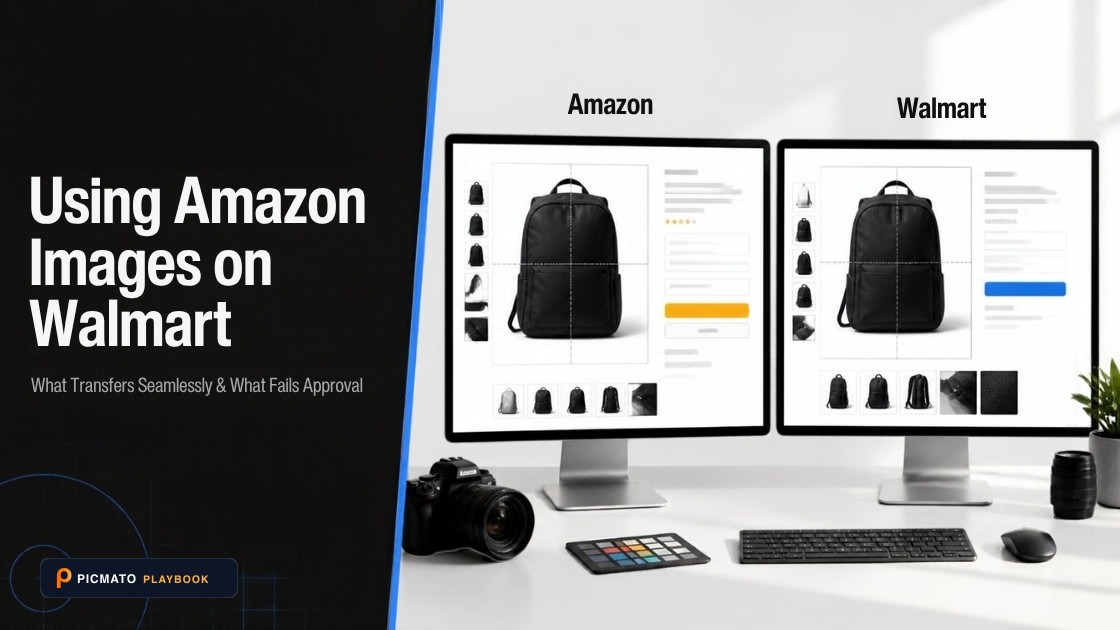
Pure white main images transfer easily, but check secondary aspect ratios and zoom dimensions before bulk uploading.
Yes, in most cases. Walmart says so on its own image guidelines page: "Most Amazon image URLs can be accepted if they meet the guidelines on this page." The catch is in the guidelines. Walmart US wants a 1:1 square, 5MB or less, JPEG, JPG, PNG or BMP with no GIF, a seamless white 255/255/255 background, and pixel dimensions of 2,200 x 2,200. Amazon does not mandate a square, accepts TIFF and non-animated GIF, and asks for the product to fill at least 85% of the frame. The URL you submit also has to end in an image file type and carry no query string, which is where most straight copies die.
Below is the checklist. Walmart's exact wording comes first, then the reason a good image URL gets rejected before Walmart ever downloads the file. After that: a row by row comparison of every spec that differs, and the order to do the conversion work in. Two things do not travel at all. Retailer logos and claim overlays pass on Amazon and fail on Walmart. A+ Content has no equivalent you can build for yourself in Seller Center.
Create listing images from your product photos
Paste your Amazon, Flipkart, Walmart, or Meesho product link or upload phone shots. Picmato recommends listing image templates tailored to your product. Review the plan and choose which images to generate; a nine-image plan does not guarantee nine finished images or nine visible gallery slots. AI renderers do not guarantee an exact RGB value, so check with a color picker before uploading.
How to Move an Amazon Image Set to Walmart (Step by Step)
Technical workflow to migrate and reformat existing Amazon listing imagery to comply with Walmart Marketplace requirements and zoom thresholds.
Audit aspect ratios to 1:1 square
Inspect all Amazon images and crop or pad any rectangular assets (such as 4:5 or 3:2 photos) onto a square 1:1 canvas as required by Walmart.
Convert image file formats
Ensure all files are exported in JPEG or PNG format. Walmart Marketplace does not support TIFF or animated GIF files.
Verify sRGB color space
Confirm that all image files are encoded in 8-bit sRGB color space to prevent color shifting when ingested by Walmart's CDN.
Scale to 2,200 x 2,200 px for zoom
Size master assets to Walmart's recommended 2,200 x 2,200 px resolution, maintaining at least 1,500 x 1,500 px so hover-to-zoom functions properly.
Compress below the 5 MB threshold
Check file sizes and compress images if necessary so that every individual asset remains strictly below Walmart's 5 MB upload ceiling.
Remove prohibited marketplace badges and text
Review gallery infographics to eliminate any Amazon-specific badges, Prime logos, ASIN references, watermarks, or promotional text.
Upload via Media Library or clean URLs
Ingest image files directly through Walmart Seller Center Media Library or submit publicly accessible image URLs on port 80/443 without query strings.
Confirm live item page rendering
After the catalog feed processes, open the live Walmart product page to confirm that all main and secondary images render sharply.
What does Walmart actually say about reusing Amazon images?#
Walmart puts it in writing on its US image guidelines page, last updated on May 12, 2026: "Most Amazon image URLs can be accepted if they meet the guidelines on this page." That line is the whole permission. Walmart takes images by public URL, so you can point it at a file that already lives somewhere else instead of uploading. Walmart also runs its own hosting if you would rather skip URLs entirely: "Walmart offers image hosting so that you don't need your own external image space."
The stronger proof sits further down the same page, in the FAQ. One question is headed "My Amazon URLs failed the HTTP HEAD call. What should I do?" and Walmart's answer is to select the Help button in the Seller Center menu bar to contact Support. Walmart wrote a documented support path specifically for Amazon URL ingest failures. That tells you two things at once. Sellers do this often enough for Walmart to write it down, and it fails often enough for Walmart to need an escalation route for it.
So the honest answer is yes, with conditions. The permission is about the URL. The conditions are about the file behind the URL. An Amazon asset that is square, under 5MB, JPEG or PNG, shot on seamless white and hosted at a clean address will go straight in with no work. One that is 1,200 x 1,600 with a promo badge across the corner, served from a CDN that appends a version parameter, will not.
Why does a perfectly good Amazon image URL still fail?#
Because Walmart checks the address before it looks at the picture. It sends an HTTP HEAD call to the URL you submit and reads the response. If the response is an HTML page, the check fails. It also fails if the server refuses an anonymous request, or if the address is not shaped the way Walmart expects. In each case the file is never downloaded. That single mechanism explains every entry on Walmart's unsupported list, and it is why your image can be flawless and still get nowhere.
The rules follow from the mechanism. Walmart requires image URLs to end in an image file type, .jpg or .png for example. The port of communication has to be 8080, 80, 443 or 8443. Those are the two positive requirements. Everything else on the page is a list of what will not work, and each entry is a different way of failing the same HEAD call. Here is Walmart's unsupported list in its own words.
Of those conditions, exactly one is a normal default in modern hosting: the query string. Shopify's CDN appends a version parameter by default, and Shopify's own documentation shows it, a URL ending in .jpg?v=1683744744&width=450. That URL works everywhere else and is dead on Walmart. Cloudinary is the opposite case, and worth correcting because plenty of blogs get it backwards. Cloudinary's documentation puts transformations in the URL path, so its delivery URLs still end in .jpg and pass fine. If there is a question mark in the URL, it will fail.
- URLs that aren't publicly accessible
- URLs that are HTML pages
- URLs containing a query
- URLs with a port of communication other than 8080, 80, 443 or 8443
- URL paths with special characters and aren't encoded
- Certain Photobucket URLs, which aren't supported if they load as HTML pages
- Dropbox URLs
Will this Amazon asset transfer? Check it row by row#
Every spec where the two platforms differ sits in the table below, along with the ones where they agree so you can stop worrying about those. Walmart's figures come from its US image guidelines page. Amazon's come from Amazon-authored posts in the Seller Central forums, which are the versions you can actually open and read without a login. Only two rows will genuinely stop an image getting in. The rest are a five second export setting.
Two rows deserve a second look. Amazon's pixel rule is a range on the longest side, 500 to 10,000. The 1,000 pixel figure is Amazon's preference so zoom works, not a hard floor. That is a different shape of rule from Walmart's square target, and our post on Amazon's minimum image size unpicks it properly. On white, both platforms name the same value, 255/255/255. An AI renderer will get you close to that but will not guarantee it. Sample two corners with a colour picker first.
| Check | Amazon says | Walmart US says | What to do if they differ |
|---|---|---|---|
| Aspect ratio | No mandated aspect ratio. Amazon pads non-square images itself | 1:1 (Square) | Re-crop, or pad onto a square canvas. This is the row that blocks most sets |
| Pixel size | 500 to 10,000 pixels on the longest side | 2,200 x 2,200 listed as the spec, 1,500 x 1,500 minimum for zoom | Re-export from the master at 2,200 square. Never upscale a 500px file to get there |
| File format | JPEG, TIFF, PNG, non-animated GIF | JPEG, JPG, PNG, BMP. GIF not permitted | Convert TIFF and GIF to JPEG. JPEG and PNG are the only formats both sides accept |
| File size | No file size cap appears in the Amazon-authored forum posts cited here. The widely quoted 10MB figure is not stated in any of them | 5MB or less | Compress under 5MB. Walmart's cap is the only documented one, so it governs. See our post on Amazon minimum image size |
| Background | Pure white, RGB 255, 255, 255, on main images | Seamless white, 255/255/255 RGB | Nothing. Same white, same number, no rework |
| Crop and fill | The product must fill at least 85% of the frame | No percentage stated. "Crop the item as close as possible to the image frame" | Nothing for Walmart US. Walmart Canada asks for a 2.5% white border, which is a separate export |
| Colour space | Not stated in Amazon's public forum guidance | RGB at 8 bits per pixel | Walmart asks for RGB at 8 bits per pixel, so convert print-sourced CMYK files to RGB before you export |
| Overlays and logos | Claim graphics and badges are routine on secondary images | No retailer or eCommerce logos, watermarks, your name or logo, accessories not included with the item, or claims and promotional language | Rebuild these images. They fail on content, not on pixels |
| Image URL | Not applicable. You upload files | Must end in an image file type, port 8080, 80, 443 or 8443, no query string | Re-host at a clean extension-ending URL, or use Walmart's own image hosting |
The crop rule is different on all three pages#
This is the delta most migration guides miss, because they assume there are two crop rules and there are three. Amazon gives a hard floor: the product must fill at least 85% of the frame. Walmart US gives no percentage at all, only an instruction to "Crop the item as close as possible to the image frame" and to avoid excessive background space. Walmart Canada gives a ceiling in the other direction, asking that the product not touch the edge of the frame, leaving a 2.5% white border.
In practice, an Amazon asset cropped to 85% is fine for Walmart US and arguably wrong for Walmart Canada. If you are listing in both Walmart markets, that is a second export from the same master, not a copy of the first one. Do that work once at the export stage. Re-cropping a set of thirty images after a listing is live, one file at a time, is the kind of job that quietly eats a whole afternoon.
The 50% fill figure that circulates in third-party guides is not on Walmart's image guidelines page, and that page states no fill percentage at all. It is real elsewhere: Walmart Canada's Listing Quality Dashboard guide, updated 8 June 2026, scores an excessive whitespace defect when the product is under 50% of the image, and it is the only Walmart page that publishes that figure. Our post on Walmart zoom image size covers that defect. Walmart Canada's guidance also sits across two live pages that disagree on file size, on whether GIF is allowed, and on the zoom minimum. Check both before you rely on a Canadian number. Our post on the US and Canada specs lays out that divergence side by side.
What fails on content rather than on pixels#
Walmart's prohibited list is where Amazon assets get caught by surprise, because nothing in it is technical. Walmart bans its own and other retailer or eCommerce platform logos, watermarks, and your name or logo. It also bans accessories that are not included with the item, and claims or promotional language about the item. Every one of those is common on an Amazon listing. Amazon secondary images carry claim overlays, feature callouts, badge graphics and styling props as a matter of course.
The retailer logo rule is the sharpest one. If an Amazon infographic references another marketplace or shows a competitor's branding, it is out. A badge you built for a promotion is out too. So is the lifestyle shot staged with a bowl and a cloth napkin you do not ship, since those read as accessories that are not included. These images pass every technical check on the Walmart checklist and still get pulled on content.
The practical read: your main image and your clean pack shots usually travel unchanged. Your infographics usually do not. When you are budgeting the migration, count the infographics separately, because they are a rebuild rather than a re-export. Walmart's US image guidelines page recommends at least four images per listing. A mature Amazon set will normally leave you enough clean assets, even after you drop the ones that break the content rules.
Does A+ Content move over to Walmart?#
Not as a file, and not as a module. Walmart's rich media checklist of May 2024 described below-the-fold content as a registered brand track delivered through third party Connected Content Solution Providers. It was dropped from the seller-facing checklist in the March 2026 revision, and the current rich media guide lists only two types: 360-spin images and video. Treat below-the-fold as a registered brand and provider conversation rather than something you switch on in Seller Center.
Those two types are what Seller Center's own Media Library actually handles. Walmart's rich media and Media Library guides were both last updated on May 15, 2026. The per-frame cap for a spin set is 1MB, five times stricter than the 5MB cap on ordinary product images. So a frame that would sail through as a product image can still be refused as a spin frame. Our post on Walmart 360 spin images covers the frame count and the full spec.
Rich media is also restricted for certain product types, "including, but not limited to, alcohol, tobacco and firearms", so check your category before you commission anything. Walmart's rich media guidance carries an explicit line that AI-generated content must be accurate, truthful and rights-compliant. Treat your Amazon A+ modules as source material for a Walmart rebuild, not as deliverables you can hand over.
How to move an Amazon image set to Walmart, step by step#
Work from your master files, not from what Amazon is serving on the live detail page. Those renders are resized and recompressed, and starting from them costs you quality you cannot get back later. If the masters are genuinely gone, use the largest version you still hold and accept that a 2,200 square export may not be possible. The order below wastes the least time, because each step assumes the one before it is done.
When an Amazon URL does fail, Walmart's own answer is to select the Help button in the Seller Center menu bar to contact Support, which is exactly what its HTTP HEAD FAQ tells you to do. Before you get that far, paste the URL into a private browser window. If it shows a page instead of an image, or if there is a question mark anywhere in it, you have found the problem without waiting on a ticket. Check the item page after the feed processes rather than assuming success.
Sellers expanding onto a second marketplace usually ask what software helps here. Picmato imports a product URL from Amazon, Flipkart, Meesho or Walmart, so you do not retype listing data on the new channel. No marketplace's listing rules are built into how it plans shots, and nothing it produces audits your existing files. Every step below, the crop, the format conversion, the watermark and logo stripping and the hosting, stays a manual job. Picmato does not remove watermarks or logos, convert formats, or re-crop a file you already have.
- Audit aspect ratio first. Anything that is not square needs a re-crop or a padded square canvas, and this is the step that stops most sets.
- Convert the format. TIFF and GIF are out on Walmart. Export JPEG, or PNG where you need it.
- Set the colour space to RGB. Walmart asks for RGB at 8 bits per pixel and print-sourced CMYK files shift colour.
- Size to 2,200 x 2,200 where the master allows it, and treat 1,500 square as the floor if you want zoom to work.
- Compress until every file is under 5MB. That is the binding cap across both platforms.
- Strip the content Walmart bans: retailer logos, watermarks, your own logo, promotional claims, and props that are not in the box.
- Host at a clean URL that ends in .jpg or .png, on port 80 or 443, with no query string. Or skip hosting and use Walmart's, since it offers it.
- Submit, then open the item page and confirm each image actually rendered.
All dimensions, RGB requirements, and technical guidelines in this playbook are verified directly against official 2026 seller portal specifications (Amazon Seller Central, Walmart Marketplace, Flipkart Seller Hub, and FSSAI standards).
Last reviewed for policy compliance: Sep 30, 2026
Frequently asked questions
Can you use Amazon product images on Walmart?
Yes, in most cases. Walmart's US image guidelines page states that most Amazon image URLs can be accepted if they meet the guidelines on that page. The conditions are real, though. Walmart wants a 1:1 square, 5MB or less, JPEG, JPG, PNG or BMP, a seamless white 255/255/255 background, and a URL that ends in an image file type with no query string in it.
Why did my Amazon image URL fail on Walmart?
Walmart validates a submitted URL with an HTTP HEAD call before it downloads anything, so the address itself has to pass. It rejects URLs that are not publicly accessible, URLs that load as HTML pages, URLs containing a query, ports other than 8080, 80, 443 or 8443, unencoded special characters in the path, Dropbox URLs, and certain Photobucket URLs. Walmart's own FAQ tells you to select the Help button in the Seller Center menu bar to contact Support.
Do Walmart product images have to be square?
Yes. Walmart US lists the aspect ratio as 1:1 square, with pixel dimensions of 2,200 x 2,200 and 1,500 x 1,500 the minimum for zoom. Amazon mandates no aspect ratio at all and pads non-square images itself, so a lot of Amazon assets sit at 4:5 or 3:2. Those need a re-crop, or padding onto a square canvas, before Walmart will take them.
Which image formats work on both Amazon and Walmart?
JPEG and PNG. Amazon accepts JPEG, TIFF, PNG and non-animated GIF. Walmart US accepts JPEG, JPG, PNG and BMP, and does not permit GIF. Each platform takes exactly one format the other rejects, so TIFF, GIF and BMP files all need converting before they travel. JPEG is the format both sides prefer, which makes it the safest single choice for a set you plan to use twice.
Does Walmart have an equivalent of Amazon A+ Content?
There is no self-serve equivalent in Seller Center. Walmart's 2024 rich media checklist listed below-the-fold content as a registered brand track run through third party providers, and the March 2026 revision dropped it. The current rich media guide lists 360-spin images and video only, and Seller Center's Media Library handles those two. Treat your Amazon A+ modules as source material for a Walmart rebuild rather than deliverables.
Sources & Reference Documentation
- Walmart Marketplace Learn: Product detail page: Image guidelines and requirements (US), last updated May 12, 2026
- Walmart Marketplace Learn Canada: Product Content Page: Image Guidelines and Requirements, last updated Feb 25, 2026
- Walmart Marketplace Learn Canada: Item image guidelines, last updated Oct 31, 2024
- Walmart Marketplace Learn (Canada): Listing Quality Dashboard, the only Walmart page publishing the image defect thresholds, updated 8 June 2026
- Walmart Marketplace Learn: Product detail page: rich media, last updated May 15, 2026
- Walmart Marketplace Learn: Rich media submission checklist (PDF, superseded 2024 version, last updated May 21, 2024)
- Amazon Seller Forums (Amazon-authored): Listings Lounge: Product Image Requirements
- Amazon Seller Forums: Product Image Aspect Ratio, reply by Lola_Amazon (Amazon staff)
- Amazon Seller Forums: Quick Tip: Product Images, post by Jessica_Amazon_ (Amazon staff)
- Amazon Seller Forums (Amazon-authored): Product Photography Standards: What's New in 2026
- Shopify.dev: Liquid filter reference, image_url (secondary source, used only as evidence that Shopify CDN URLs carry query strings by default)
- Cloudinary documentation: Image transformations (secondary source, used only as evidence that Cloudinary delivery URLs carry transformations in the path and end in a file extension)
- Walmart Marketplace Learn: Rich media submission checklist (PDF, current version, updated 5 March 2026)
Related on Picmato
Recommended Playbooks & Market Guides
Platform policies, image compliance documentation, and conversion frameworks.
Walmart Image Size for Zoom: 1,500 or 1,000 Pixels?
Walmart's US spec page says 1,500 x 1,500 for zoom, but the only Walmart page that scores a defect is Walmart Canada's dashboard guide, and it fires below 1,000 pixels. Here is which number governs what, and the one pixel size that clears all of them.
Walmart Image Requirements: US vs Canada, Side by Side
Walmart's US and Canada image pages give different numbers, and Walmart's two Canada pages disagree with each other. Every spec side by side, with the page dates, plus one master file that passes all three.
What Image Problems Actually Unpublish a Walmart Listing, and the 1000 x 1000 Myth
Walmart's US documentation lists one image-related unpublish reason code: no primary image. There is no pixel threshold that takes a US listing down, and the 500 x 500 automatic unpublish rule everyone half-remembers is Canadian.