Flipkart Fashion & Apparel Photography: The Complete Catalog & QC Guide
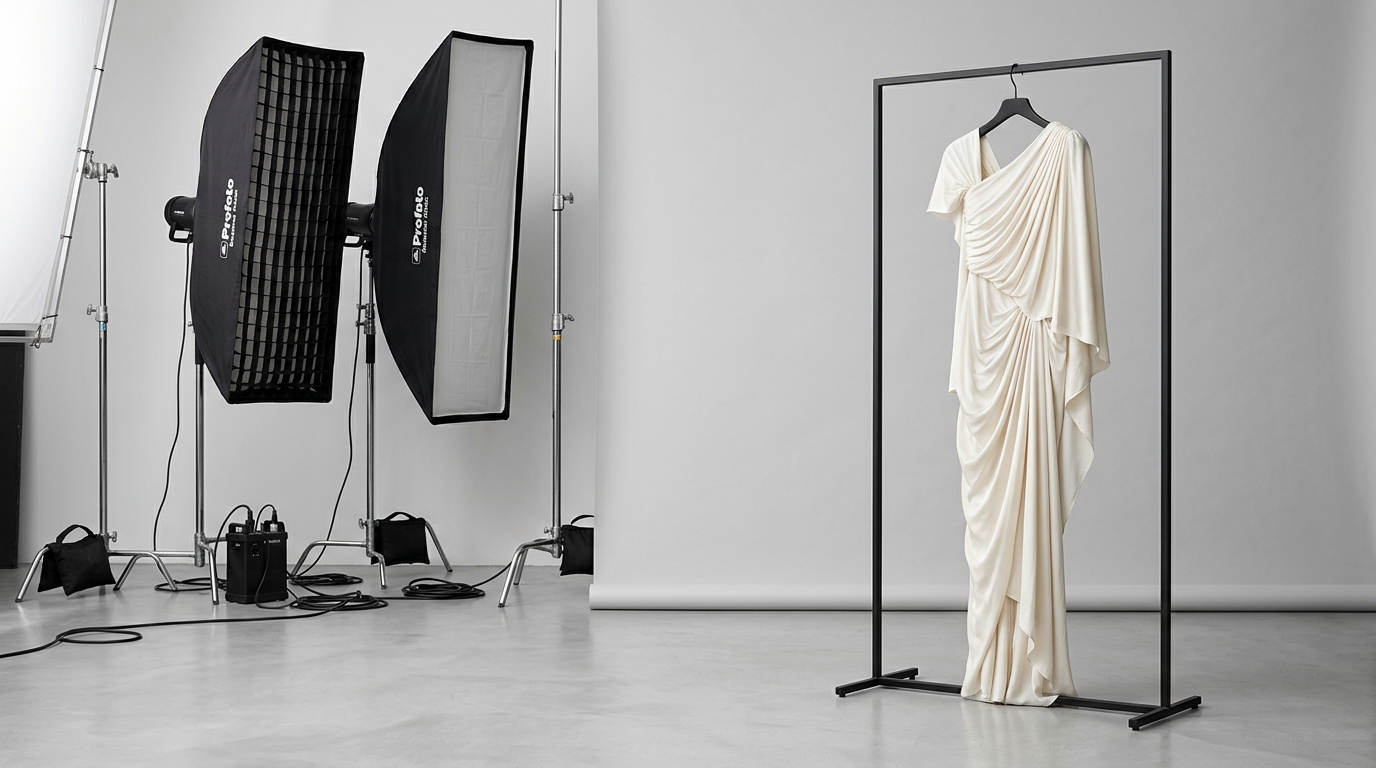
Flipkart apparel cataloging requires strict aspect ratios, high resolution for pinch-to-zoom, and mandatory detail shots for ethnic wear.
Fashion and apparel represent the largest single revenue driver on Flipkart and Myntra. Yet for sellers, fashion is also the most challenging category to catalog and scale. Flipkart's automated CatalogX ingestion engine and manual Quality Check (QC) moderation teams reject thousands of apparel listing sheets every week due to minor photographic infractions—such as incorrect canvas aspect ratios, unapproved mannequin crops, or missing mandatory ethnic wear views.
Beyond catalog approval, image quality directly dictates commercial survival on Flipkart. High-definition zoom imagery and accurate color rendition are the primary defenses against India's notoriously high fashion return rates (which routinely hover between 25% and 35% on festive sales). When an image misrepresents fabric sheen, distorts embroidery colors, or hides how a saree's pallu drapes, customer returns and courier return charges (RTO) quickly wipe out seller margins.
This comprehensive guide provides the definitive 2026 playbook for Flipkart fashion cataloging: aspect ratio rules (1:1 square vs 3:4 vertical), the exact light-grey background exceptions for white fabrics, mandatory ethnic wear views (including dedicated pallu and blouse piece requirements), model pose restrictions, step-by-step solutions for the top 7 QC rejection codes, and legal requirements under the Consumer Protection (E-Commerce) Rules 2020.
Don't build compliant listing images by hand
Paste your Amazon, Flipkart, Walmart, or Meesho product link or upload phone shots. Picmato plans a 9-image set for your product: studio white-ground hero, lifestyle scenes, and feature infographics.
How to Prepare and Upload Flipkart-Compliant Fashion Listing Images
Step-by-step procedure to photograph, crop, verify, and upload compliant apparel and ethnic wear images to Flipkart Seller Hub.
Steam and prepare all garments
Steam all garments thoroughly to eliminate wrinkles, fold creases, and lint. Tuck inner sizing tags and price labels completely inside the neckline so they remain invisible in photos.
Shoot standard standing model or ghost mannequin angles
Position the live model standing straight facing forward under even studio lighting. Capture front, back, and 45-degree side angles, ensuring at least 5% margin padding above the head and below the shoes.
Capture mandatory ethnic wear close-ups (Sarees & Kurtis)
For sarees, take dedicated macro close-up shots of the Pallu weave and the unstitched or attached Blouse Piece, ensuring colors and borders are sharply focused.
Format canvas to 2000x2000px square or 3:4 portrait
Crop images to 2000 x 2000 pixels (1:1) or 1500 x 2000 pixels (3:4 vertical). Verify with a digital color picker that backgrounds read pure white (RGB 255) for colored items or light grey (RGB 245) for white garments.
Scrub all text, watermarks, and promotional overlays
Ensure no image contains discount stickers, price tags, brand watermarks, or website URLs, which trigger immediate automated QC rejection under code QC_IMG_TEXT_OVERLAY.
Map image URLs to child SKUs and submit bulk catalog sheet
Audit your Flipkart bulk upload Excel sheet to ensure image URLs map to the exact matching color and size SKUs. Submit the batch to Seller Hub for automated CatalogX verification.
The High-Volume, High-Friction Reality of Flipkart Fashion
Flipkart dominates the Indian fashion e-commerce landscape, capturing substantial market share alongside its sister platform Myntra. However, the operational bar for apparel sellers is extraordinarily high. Unlike hardlines or packaged goods where a single product shot on white suffices, fashion is an emotionally driven visual purchase where customers scrutinize fit, fabric drape, stitch density, and embellishment quality.
To manage millions of catalog submissions, Flipkart deploys CatalogX—an automated cataloging and computer-vision verification pipeline inside the Flipkart Seller Hub. When a seller uploads an apparel batch via bulk Excel templates, CatalogX automatically evaluates image URLs before a human moderator ever sees the listing.
The automated algorithm scans for canvas dimensions, background luminance values, facial visibility, border collision (checking whether the model's head or shoes touch the canvas edge), and image compression artifacts. If any image in your SKU series fails these algorithmic checks, the entire listing is rejected with a cryptic QC error code, delaying your product launch by days or weeks.
- Automated edge-detection filters checking for 80% to 90% product canvas fill
- Computer vision scanning for prohibited text overlays, pricing stickers, and watermarks
- Mandatory multi-angle coverage: Front, Back, Side, and Fabric Close-up
- Strict categorization rules separating Western wear, Ethnic wear, and Footwear guidelines
Aspect Ratios & Resolutions: 1:1 Square vs 3:4 Portrait & the 2,000px Zoom Threshold
The debate between square and vertical aspect ratios is a frequent point of confusion among Indian e-commerce sellers. While platforms like Amazon US traditionally enforce 1:1 square crops across all categories, apparel on mobile-first Indian marketplaces has evolved differently.
Flipkart's mobile app search grid and category landing pages are engineered around vertical cards. Consequently, Flipkart's fashion guidelines accommodate both standard 1:1 square formats and optimized vertical 3:4 portrait crops:
1. The 1:1 Square Standard (Universal): 1000 x 1000 pixels minimum, with 2000 x 2000 pixels strongly recommended. This format is universally accepted across all Flipkart sub-categories without risk of algorithmic rejection. If you cross-list identical inventory on Amazon India, Meesho, and Flipkart, the 2000 x 2000 square format provides the safest cross-platform baseline.
2. The 3:4 Portrait Crop (Fashion Vertical Optimized): Typically formatted as 1100 x 1467 pixels or 1500 x 2000 pixels. Vertical portrait framing is ideal for full-length garments such as sarees, anarkalis, maxi dresses, and men's suits because it eliminates excessive empty white space on the left and right margins, allowing the garment to fill the mobile screen naturally.
3. The 1,000-Pixel Zoom Floor: Regardless of aspect ratio, Flipkart requires at least 1,000 pixels on the shortest side to activate high-definition pinch-to-zoom. If you upload a 500 x 500 pixel image, the zoom feature fails to engage, triggering immediate QC rejection for 'Low Resolution Image'.
| Format Specification | Minimum Resolution | Recommended Resolution | Best Suited Sub-Categories | Flipkart Mobile Behavior |
|---|---|---|---|---|
| Standard Square (1:1) | 1000 x 1000 px | 2000 x 2000 px | T-shirts, shirts, tops, jeans, footwear, accessories | Displays centered with clean borders; compatible across all categories |
| Vertical Portrait (3:4) | 1100 x 1467 px | 1500 x 2000 px | Sarees, kurtis, lehengas, gowns, sherwanis, trench coats | Fills vertical mobile cards completely; maximizes garment drape visibility |
| Fabric / Texture Macro (1:1) | 1000 x 1000 px | 2000 x 2000 px | Embroidery close-ups, pallu weave, zari work, lace details | Activates maximum pinch-to-zoom clarity for tactile inspection |
Background Rules for Apparel: When Pure White is Required vs When Light Grey is Permitted
In general e-commerce cataloging, pure white (RGB 255, 255, 255) is the golden rule. However, fashion apparel presents a severe optical dilemma: pure white garments (such as white linen shirts, ivory bridal lehengas, or cream chikankari kurtas) completely blend into a pure white background, causing collars, cuffs, and hemlines to disappear into an overexposed optical void.
To solve this, Flipkart's Seller Hub guidelines provide an explicit exception for fashion and apparel:
For white, off-white, cream, and pale pastel garments, sellers are officially permitted to use a seamless neutral light-grey studio background (RGB 240, 240, 240 to RGB 245, 245, 245) with soft, natural floor contact shadows. This subtle contrast preserves the silhouette of white clothing while maintaining a clean, distraction-free catalog aesthetic.
For colored and patterned garments, pure white (RGB 255, 255, 255) or ultra-light off-white remains the standard. Backgrounds must be completely uniform, free of gradient banding, textured brick walls, outdoor foliage, or visible studio equipment (such as light stands, cables, or floor tape).
Model Photography Standards: Poses, Framing, Crop Lines, and Headless Mannequin Bans
Flipkart enforces strict standards regarding on-model presentation. Poor posing, awkward crops, or unapproved mannequin formats are among the leading triggers of manual QC rejection.
Review these model photography guidelines before conducting an apparel shoot:
1. Standing Poses Only: Models must stand naturally, facing forward or at a 45-degree three-quarter angle. Sitting on chairs, kneeling, leaning heavily against walls, or contorting in extreme fashion-editorial poses is strictly forbidden for the primary catalog image. The silhouette of the garment must be clearly visible and unwrinkled.
2. Facial Visibility: For adult apparel, Flipkart strongly prefers live models with full facial visibility. Cropping the model's head off at the neck or chin (the so-called 'headless mannequin' style) looks low-budget and triggers QC flags in premium fashion verticals. If using a professional model, ensure neutral, pleasant expressions without exaggerated pouts or distracting sunglasses (unless selling eyewear).
3. Footwear and Margin Spacing: In full-length shots, leave at least 5% to 8% margin padding above the model's head and below the shoes. If the model's hair or footwear touches or is clipped by the canvas border, CatalogX automated edge detection flags the image for 'Border Collision / Improper Cropping'.
4. Mannequin Rules: Transparent ghost mannequins (invisible mannequins where the garment appears hollow) are accepted for basic Western tops, t-shirts, and shirts. However, plastic mannequins with visible necks, reflective metallic joints, or plastic wigs are strictly prohibited across all Flipkart fashion categories.
Ethnic Wear Masterclass: Mandatory Views for Sarees, Kurtis, and Lehengas (Pallu & Blouse Piece)
Ethnic wear represents the highest-grossing category during festive and wedding seasons in India (such as Diwali, Navratri, and Big Billion Days). Because ethnic garments feature complex draping and unstitched components, Flipkart requires specific mandatory views that sellers cannot omit.
If you list sarees, kurtis, or lehenga cholis on Flipkart, your catalog gallery must contain these specific shots:
Shot 1: Full-Length Front Drape View (Main Image). The saree must be professionally draped on an Indian model or styled ghost mannequin, showing the complete pleats, waist drape, and front fall. The model must stand straight, allowing the hemline and border to be evaluated.
Shot 2: Back and Side Profile View. Shows how the pallu drapes over the shoulder, the fit of the blouse back, and the rear pleat structure.
Shot 3: Dedicated Pallu Macro Close-up (Mandatory). This is a non-negotiable Flipkart requirement. You must upload a dedicated high-resolution close-up focusing exclusively on the design, weave, print, or zari work of the saree's pallu. Buyers look at this shot to evaluate craftsmanship and fabric richness.
Shot 4: Dedicated Blouse Piece Close-up (Mandatory). The fourth mandatory slot must showcase the attached or unstitched blouse piece. If the blouse piece is contrast-colored, embroidered, or plain running fabric, this photo must clearly depict the pattern, length, and border. Failing to include a clear blouse piece photograph results in high return rates from buyers claiming 'blouse piece missing or not as pictured'.
Shot 5: Zari, Embroidery & Border Macro. A close-up shot of the border detailing, showcasing metallic zari threads, resham embroidery, or sequence work under crisp studio lighting.
- Slot 1: Full-length front drape on model (Full silhouette visible)
- Slot 2: Back profile view showing pallu drop and rear pleating
- Slot 3: Dedicated macro close-up of the Pallu weave and design
- Slot 4: Dedicated close-up of the unstitched or attached Blouse Piece
- Slot 5: Macro shot of the border, lace, or zari embroidery work
- Slot 6: Optional lifestyle styling shot (festive or occasion setting)
Western Wear & Everyday Casuals: Men's, Women's, and Kids' Photography Guidelines
Western casuals—such as denim jeans, cotton t-shirts, formal shirts, dresses, and athleisure—require a clean, standardized presentation focused on fit and fabric weight.
Men's Apparel: For formal shirts and polo t-shirts, ghost mannequin or live model shots are both accepted. The primary shot must be front-facing with buttons cleanly fastened. Secondary images should showcase the collar construction, cuff details, and a side profile highlighting the fit (slim fit, regular fit, relaxed fit). For denim, showcase front pockets, back pocket embroidery, and leg taper.
Women's Western Dresses: Dresses must be shown on live models to convey fabric movement, hemline height (mini, midi, maxi), and neckline depth. Secondary shots should include a side profile and a fabric close-up showing texture (ribbed knit, chiffon, satin sheen).
Kids' and Infant Wear: In accordance with child safety and marketplace guidelines, Flipkart strongly prefers flat-lay or ghost mannequin styling for infant and toddler clothing (ages 0 to 4). If live child models are used for older kids' apparel, models must be fully clothed, posed naturally, and accompanied by written parental consent on file.
Footwear & Accessories: Angle Requirements and Sole/Texture Close-Ups
Footwear is an essential sub-category within Flipkart Fashion, characterized by strict angle mandates:
The 45-Degree Front Profile Rule: The primary hero image for shoes must display a pair or a single shoe positioned at a 45-degree angle facing left, allowing the toe box, laces, and side profile to be evaluated simultaneously.
Mandatory Secondary Angles: Footwear listings must include:
1. Top-Down View: Showing the footbed, insole branding, and toe shape.
2. Sole and Tread View: Displaying the outsole grip pattern, material (rubber, EVA, leather), and anti-slip tread design.
3. Heel / Rear View: Showing heel counter reinforcement and collar padding.
4. In-Hand or Worn Lifestyle View: Demonstrating flexible sole movement or styling on an ankle.
The Top 7 Flipkart Fashion QC Rejection Codes and Step-by-Step Remediation
When an apparel listing fails quality checks in Seller Hub, Flipkart assigns a specific rejection tag. Below are the 7 most common fashion QC rejection codes and the exact steps required to resolve them:
| Rejection Code / Error Tag | Root Cause of Failure | How to Fix Before Resubmitting |
|---|---|---|
| QC_IMG_TEXT_OVERLAY | Promotional text, prices, or watermarks embedded in the image | Remove all stickers, '₹499' banners, and brand watermarks. Submit clean photography only. |
| QC_IMG_BORDER_COLLISION | Model's head, hands, or shoes touch or clip the canvas boundary | Add 5% to 8% padding around the perimeter so the model is centered without touching edges. |
| QC_IMG_LOW_RESOLUTION | Image dimensions are under 1000px or heavily compressed (<72 DPI) | Export images at 2000 x 2000 pixels (JPEG format, 85% quality, file size 1MB to 3MB). |
| QC_IMG_CLUTTERED_BACKGROUND | Outdoor street scenes, bedrooms, or dark textured walls used on hero image | Replace the hero image with pure white (RGB 255, 255, 255) or neutral light grey (RGB 245). |
| QC_ETHNIC_MISSING_PALLU | Saree listing uploaded without a dedicated pallu close-up shot | Photograph and upload a macro view of the pallu weave as image slot 3. |
| QC_ETHNIC_MISSING_BLOUSE | Saree listing uploaded without an unstitched/attached blouse piece photo | Photograph the blouse piece fabric flat or on hanger and upload to image slot 4. |
| QC_VARIANT_COLOR_MISMATCH | Blue dress image mapped to the red dress SKU in the bulk listing sheet | Audit the Excel upload sheet to ensure image URLs map to the correct child SKU colors. |
Indian Legal Compliance: Consumer Protection Rules 2020 & Legal Metrology for Apparel
In India, e-commerce product listings are legally regulated under the Consumer Protection (E-Commerce) Rules, 2020 and the Legal Metrology (Packaged Commodities) Rules, 2011.
Under Rule 5(2) of the Consumer Protection (E-Commerce) Rules, marketplaces like Flipkart are legally obligated to obtain an undertaking from sellers confirming that product descriptions, images, and claims accurately represent the actual physical goods delivered to customers. Providing misleading images—such as showing silk sarees while shipping cheap synthetic polyester, or digitally altering colors to look vibrant while shipping dull fabric—constitutes an unfair trade practice punishable by listing bans and financial penalties.
Furthermore, Legal Metrology regulations mandate that apparel listings provide clear disclosures regarding:
1. Fabric Composition: Exact fiber content (e.g., '100% Cotton', '80% Polyester, 20% Spandex').
2. Country of Origin: Clearly visible in the listing attributes and printed on physical packaging.
3. Standard Size Chart: Chest, waist, and length measurements in centimeters and inches.
4. Maximum Retail Price (MRP): All-inclusive retail price displayed on the listing matching the physical garment tag.
How Picmato Supports Flipkart Apparel Sellers (Within Claims Safety)
Producing dozens of model photographs across multiple colorways and sizes for Flipkart's festive sales requires massive time and capital investment.
Here is how Picmato streamlines fashion listing preparation within strict compliance boundaries:
Tailored Listing Templates: When you analyze an apparel item or paste a Flipkart product URL, Picmato recommends display categories suited for clothing, including Lifestyle In-Use, Component Breakdown, and Feature Spotlight.
Color Variation Consistency: For multi-color garment catalogs, sellers upload a reference photo for each variant, enabling cohesive gallery generation across up to 10 variants per run.
Grounded in Real Product Photos: Picmato anchors visual generation in your authentic uploaded product photos (up to 12 images in JPG, PNG, WebP, or HEIC format), ensuring fabric drape and silhouette remain truthful to the physical garment.
Clean Studio Ground Generation: The engine directs hero images to clean studio white backgrounds, providing the necessary separation for apparel cataloging.
What Picmato Does NOT Do: In accordance with our claims ledger, Picmato does not guarantee automated Flipkart QC approval, does not recolor garments from a single photo without variant references, and does not certify legal metrology compliance. Sellers must inspect finished images with a color picker and verify size charts prior to Seller Hub upload.
Frequently asked questions
What is the best aspect ratio for fashion images on Flipkart?
The safest universal aspect ratio is 1:1 square (2000 x 2000 pixels recommended, minimum 1000 x 1000 px). For full-length garments like sarees, kurtis, and gowns, Flipkart also accommodates vertical 3:4 portrait crops (1100 x 1467 px or 1500 x 2000 px) which fill mobile product cards effectively.
Are light grey backgrounds allowed for clothing on Flipkart?
Yes. While colored garments require pure white (RGB 255, 255, 255), Flipkart Seller Hub guidelines officially permit neutral light-grey backgrounds (RGB 240-245) with soft floor contact shadows for white, cream, and pale pastel clothing to prevent fabrics from washing out.
Why was my saree listing rejected by Flipkart QC?
The two most common reasons for saree QC rejection are missing the mandatory Pallu macro shot (Slot 3) or missing the dedicated Blouse Piece photograph (Slot 4). Other triggers include border collisions where the model's head or shoes touch the canvas edge, or text overlays on photos.
Can I use headless mannequins for apparel on Flipkart?
Transparent ghost mannequins are permitted for basic Western tops, t-shirts, and shirts. However, plastic mannequins with visible necks, metallic joints, or plastic wigs are strictly prohibited. For ethnic wear, live models with full facial visibility are strongly preferred.
What is the minimum resolution to activate zoom on Flipkart?
Flipkart requires a minimum of 1000 pixels on the shortest side to activate pinch-to-zoom. Uploading images at 2000 x 2000 pixels in JPEG format is recommended to ensure razor-sharp zoom clarity on fabric textures and embroidery.
What are the footwear angle requirements on Flipkart?
The primary hero image must display the shoe at a 45-degree angle facing left. Mandatory secondary slots must include a top-down view (insole), a sole view (outsole tread and grip), and a rear heel counter view.
Does Picmato recolor garments for color variants without a reshoot?
No. In accordance with our verified claims ledger, Picmato does not recolor clothes from a single image. Product variations require an authentic reference photograph for each color variant (supporting up to 8 master layouts applied across 10 variants per run).
Related on Picmato
Sources
- Flipkart Seller Learning Hub: Fashion & Apparel Cataloging Standards (2025/2026)
- Flipkart Seller Hub: CatalogX Automated QC Engine Directives & Vertical Requirements
- Ministry of Consumer Affairs (India): Consumer Protection (E-Commerce) Rules, 2020 (Rule 5)
- Department of Consumer Affairs: Legal Metrology (Packaged Commodities) Rules for Garments & Textiles
- CatalogX Technical Documentation: Automated Image Validation & Framing Algorithms