Arabic Amazon Listing Images: RTL Layouts, Bilingual Copy, and Review Checks
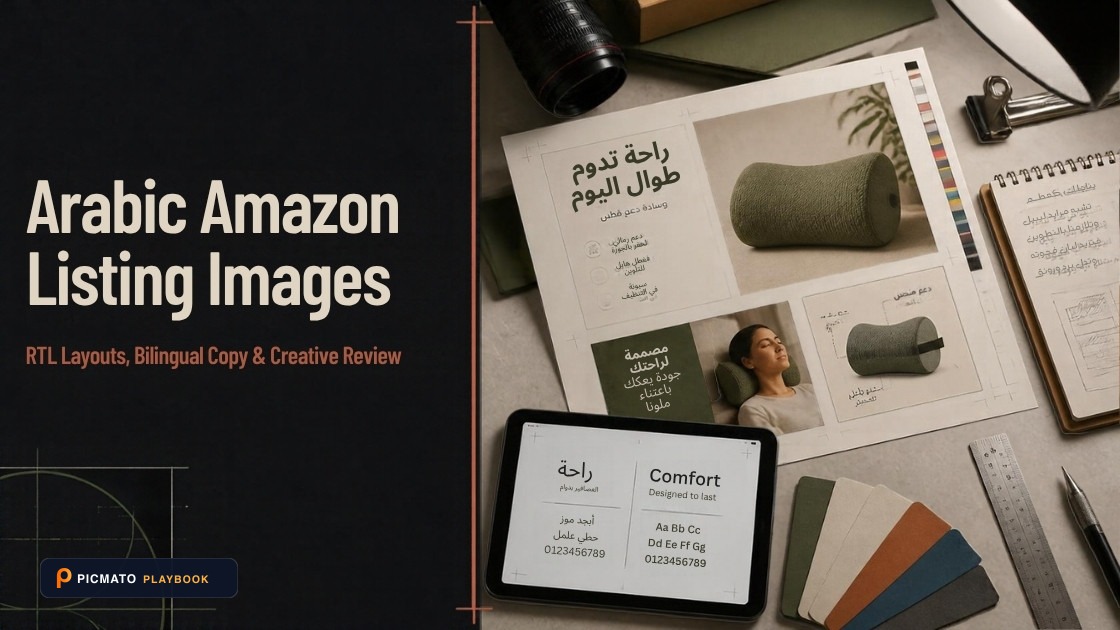
Plan Right-to-Left Arabic and English product infographics with qualified language review.
Arabic Amazon feature images need a layout and language review, not a mechanical mirror of the English artwork. Keep the product itself unchanged, give each language a clear reading order, and verify mixed-direction numbers, model names and units in the exported asset.
This English creative guide was checked on 19 October 2026 and is due for review by 19 January 2027. The examples below are reusable English source copy and translation placeholders, not published Arabic translations. A qualified Arabic reviewer must approve the actual translated asset before a seller uses it.
Create listing images from your product photos
Paste your Amazon, Flipkart, Walmart, or Meesho product link or upload phone shots. Picmato recommends listing image templates tailored to your product. Review the plan and choose which images to generate; a nine-image plan does not guarantee nine finished images or nine visible gallery slots. AI renderers do not guarantee an exact RGB value, so check with a color picker before uploading.
How should you plan an RTL feature layout?#
Our recommendation is to decide the Arabic headline, product and callout zones before adding text. Move the reading hierarchy where appropriate without mirroring the product photograph. A mirrored power switch, port label or package identifier can depict an item you do not ship.
W3C’s bidirectional-text guidance explains why embedded left-to-right text needs explicit direction handling. Design tools differ from HTML, so test the actual export rather than assuming the live text box and raster image have identical reading behavior.
Which bilingual layout should you choose?#
Use a stacked layout when each language needs a short full sentence; use separate columns when both phrases are brief and can be read without crossing the product. For dense specifications, use a clear value column rather than repeating a crowded paragraph twice.
| Layout | Recommended use | Review question |
|---|---|---|
| Stacked language blocks | Short explanation in both languages | Can each block be read independently on a phone? |
| Side-by-side blocks | One concise feature per language | Are headline, product and callout associations unambiguous? |
| Separate language assets | A dense message that cannot fit legibly | Does the destination gallery permit the planned content and sequence? |
| Shared value with separate labels | Dimension or model information | Are the value, unit and meaning identical? |
How do numbers, units and model names go wrong?#
A model identifier may read left to right inside an Arabic sentence. Punctuation or a unit can appear attached to the wrong phrase if direction is not handled explicitly. W3C recommends isolation for embedded text in the relevant text environments; use the corresponding direction tools in your editor and inspect the final output.
Keep a source sheet with one approved value per field. Do not convert a product dimension into a package dimension, change decimal precision in translation, or reverse a model code. Never type over the physical label photograph to make its text match a new layout.
What reusable source-copy brief can you give a translator?#
The following illustrative brief deliberately uses placeholders. Replace bracketed values with seller-approved facts, then have a qualified reviewer supply and check the Arabic. No Arabic phrase in this guide is presented as ready-to-publish copy.
This is an illustrative preparation exercise, not a tested seller result or certification example. Replace every placeholder with your own measured and documented product facts.
| Asset | Evidence to supply | Review before use |
|---|---|---|
| Feature heading | English source: “What is included” | Arabic slot: [reviewed translation of the approved heading] |
| Contents callout | English source: “[actual item] + [included accessory]” | Compare both languages against the shipped contents |
| Size callout | English source: “Width: [measured value] [unit]” | Check product versus package size and unit direction |
| Model identifier | Seller-approved model code | Preserve the exact identifier and inspect its reading order |
How should a qualified reviewer approve the final creative?#
Give the reviewer the source sheet, product photographs, proposed claims and destination store. Ask for semantic equivalence, spelling, punctuation, Arabic shaping and reading order. The review must cover the final exported image, not just the translation in a spreadsheet.
Keep a record of the approved copy and asset version. If the image is regenerated, compare every word again; the prior approval does not verify new rendered text. Picmato does not verify translations or read back and certify the generated typography.
What belongs in the country guides rather than this layout guide?#
Check the UAE, Saudi Arabia and Egypt guides for product-specific local considerations. A shared language does not make conformity certificates, food labels or warranty representations interchangeable. This layout advice does not establish permission for promotional overlays, payment logos or testimonials in an Amazon gallery.
For seasonal scenes, use a seller-approved audience brief rather than broad claims about all buyers in a country. Verify the product context, implied contents and any photographed people. Separate gallery approval from advertising or storefront approval.
What should you check before uploading?#
Treat this as an editorial preparation checklist. Confirm the actual marketplace requirements and product obligations separately; a good-looking gallery is not evidence of product certification.
- Confirm the store, exact product variant, category and current image policy.
- Approve English source facts before translation.
- Obtain qualified Arabic review of the actual final export.
- Check mixed-direction numbers, units and identifiers without mirroring the product.
- Check pixel dimensions, crop, readable text and the exported background color.
- Preview on a phone and desktop; inspect the live listing after upload.
Where can Picmato help, and what must you still verify?#
Picmato recommends listing image templates tailored to your product. A nine-image plan describes the planned main image and eight further image purposes; it does not promise nine finished images or nine visible Amazon gallery slots. Review the available plan and choose which images to generate.
The main-image brief is directed to a plain white studio background. AI renderers do not guarantee an exact RGB value; inspect the exported file with a color picker before uploading. Check the product shape, sold quantity, dimensions, every rendered word and any depicted accessories against your own evidence.
Use original packaging photographs for label details, identifiers, warnings and authorized marks. Picmato does not check marketplace or legal compliance and does not verify a translation. This guide does not establish successful URL imports from every Amazon country domain. Use your own product photos when an import is unavailable.
All dimensions, RGB requirements, and technical guidelines in this playbook are verified directly against official 2026 seller portal specifications (Amazon Seller Central, Walmart Marketplace, Flipkart Seller Hub, and FSSAI standards).
Last reviewed for policy compliance: Oct 19, 2026
Frequently asked questions
Should I mirror the whole English infographic for Arabic readers?
No. Adapt reading hierarchy while keeping the actual product and its identifiers unchanged. A mirrored product can show controls, ports or labels in the wrong position. Decide text zones deliberately, test mixed-direction values, and have a qualified Arabic reviewer inspect the final image rather than approving only the source translation.
Does Picmato verify Arabic text in generated images?
No. Treat every rendered word as something you must check. Approve the source copy, obtain a qualified translation, then inspect the actual exported asset for wording, shaping, punctuation and numerical accuracy. Regenerating an image creates another review task; an approved translation does not certify every later rendering.
Can the example copy in this guide be uploaded directly?
The examples are English source-copy templates with translation placeholders. They contain no reviewed Arabic translation and no verified product measurements. Replace the placeholders with your own product facts and obtain qualified language review. Also check that the destination Amazon placement permits the intended content before composing or uploading the asset.
Sources & Reference Documentation
Related on Picmato
Recommended Playbooks & Market Guides
Platform policies, image compliance documentation, and conversion frameworks.
Amazon Global Selling: Listing Image Requirements Across 11 Marketplaces
Compare image preparation across 11 Amazon stores, with source limits, local label considerations, and a practical cross-border gallery workflow.
Amazon Listing Image Requirements, Explained
Read Amazon.com image-size guidance, distinguish upload and zoom targets, and prepare accurate main images and galleries with clear source limits.
Amazon UAE Listing Images: Requirements and Arabic-English Localization
Prepare Amazon UAE listing images with bilingual creative review, authentic product documents, and clear limits around conformity marks and labels.