Allegro Product Image Requirements: Thumbnail and Gallery Rules
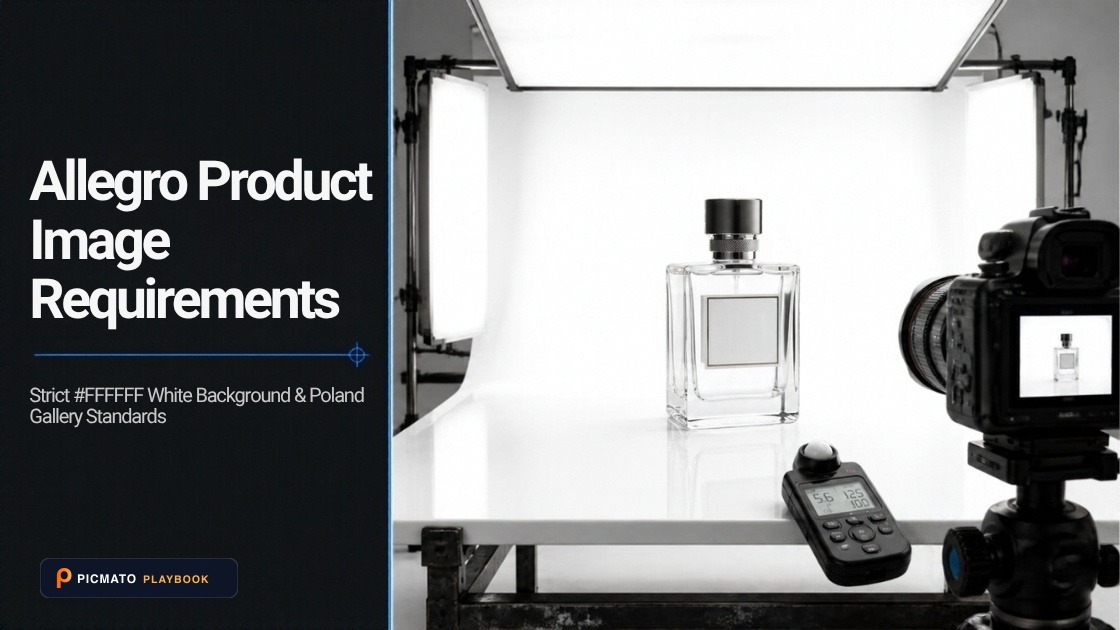
Allegro runs marketplaces in Poland, Czechia, Slovakia and Hungary. Its image rules come in two parts: the thumbnail, which is always the first photo, and the rest of the gallery. Most of the rules apply to the thumbnail. Gallery photos can use any background and some kinds of text.
This guide was checked on 29 October 2026 and is due for review by 29 January 2027. We checked Allegro's public help pages on thumbnails, on photos in the gallery and description, and on labeling AI-generated images, plus its GPSR page for the list of markets. None of the image pages shows a last-updated date, so confirm the current wording before a large upload.
Create listing images from your product photos
Paste your Amazon, Flipkart, Walmart, or Meesho product link or upload phone shots. Picmato recommends listing image templates tailored to your product. Review the plan and choose which images to generate; a nine-image plan does not guarantee nine finished images or nine visible gallery slots. AI renderers do not guarantee an exact RGB value, so check with a color picker before uploading.
What are the technical image specifications on Allegro?#
Allegro's rules for gallery and description photos set the limits in the table below. The same page does not state a file size limit, so we do not give one. The right-hand column is our working recommendation, not an Allegro rule.
| Attribute | What Allegro states | Our working recommendation |
|---|---|---|
| Minimum size | 500 px on the longer side | Export well above the minimum |
| Maximum size | 2560 x 2560 px; larger photos are scaled down; up to 26 Mpx accepted | Export at 2560 px on the longer side so Allegro does not rescale |
| Formats | JPG, JPEG, PNG; WebP through the API or a file | JPG for photographs |
| Color profile | sRGB only | Convert to sRGB before export |
| Proportions | Any, such as 1:1, 4:3 or 16:9 | One ratio across the gallery |
| Photos per listing | 10 on a standard account; 16 on a business account; 40 for advertisements | Add photos while each one shows something new |
What does Allegro require for the thumbnail?#
The thumbnail is always the photo you set first in the listing form. Allegro asks you to show products only on a white background, RGB 255.255.255, without frames or other decorations. A plain light gray background with an HSV value (V) of at least 0.8 is allowed only in listed Fashion, Kids and Sport and tourism categories, such as clothing, shoes, bags and luggage.
There are exceptions. Used, refurbished or damaged items on personal accounts, certain categories on business accounts, auction items in some fashion categories, and some art, furniture, garden and motoring categories can use other backgrounds; the help page lists them in full. Sellers with individual agreements may follow those terms instead.
What is not allowed on Allegro thumbnails and gallery photos?#
On the thumbnail, Allegro does not allow logos in the background, whether the product's or your shop's, added text, icons or graphics such as arrows, units of measure, watermarks, or delivery times such as 'wysyłka w 24h'. A brand logo is fine when it is visible on the product or its packaging. Allegro says it may impose sanctions under its terms for a non-compliant thumbnail, and that sorting by relevance takes the thumbnail rules into account.
Gallery and description photos are looser. Any background color is allowed. You cannot add your shop name or logo, order-fulfillment information, or text describing product features. You can show text printed on the product or its original packaging, the brand logo of original products, dimensions written as numbers and units, and certificates and markings required by law.
- Thumbnail is the first photo, on white (RGB 255.255.255); plain light gray with V of at least 0.8 only in listed Fashion, Kids and Sport and tourism categories
- No shop logo, added text, icons, units of measure, watermark or delivery time on the thumbnail
- No shop name, shop logo or added feature claims in gallery photos
- Dimensions in gallery photos use numbers and units only
- Files are at least 500 px on the longer side and in sRGB
Do you need to label AI-generated images on Allegro?#
Allegro's gallery rules say that if you publish a deepfake, an image generated or significantly altered by AI, you must tell buyers. Its FAQ covers images generated or modified by AI that may look authentic, with examples: an image generated from scratch, a photo of a real product with an AI-generated background, and virtual models presenting the product. It says the duty applies only to deepfake-type photos, and that deciding whether a photo needs a label is the seller's responsibility.
Allegro links this to the EU AI Act, Regulation (EU) 2024/1689, and says the relevant provisions take effect on 2 August 2026. It offers a labeling option when you add photos through the product catalog, the listing form, a file or the API, which adds an AI label to the image as a watermark. Once saved, the declaration cannot be changed.
Where do AI image tools fit for Allegro?#
Picmato does not clip your product. It generates a fresh studio shot, directed to a plain white studio background, and can plan lifestyle scenes for the rest of the set. AI renderers do not guarantee an exact RGB value, so check the background with a color picker before uploading. Picmato images are AI-generated, and Allegro's own examples of images that may need an AI label include a real product photo with an AI-generated background. Allegro leaves that decision to the seller, so read its labeling rules, in force from 2 August 2026, before you upload. Picmato does not check files against Allegro's rules, so confirm the current standard on Allegro's help pages.
All dimensions, RGB requirements, and technical guidelines in this playbook are verified directly against official 2026 seller portal specifications (Amazon Seller Central, Walmart Marketplace, Flipkart Seller Hub, and FSSAI standards).
Last reviewed for policy compliance: Oct 29, 2026
Frequently asked questions
Can I use a lifestyle photo as my Allegro thumbnail?
Usually not. Allegro's thumbnail rules ask for the product on a white background, RGB 255.255.255, and allow plain light gray only in listed Fashion, Kids and Sport categories. Lifestyle photos are allowed for used items on personal accounts and in certain categories on business accounts, which the help page lists. Put lifestyle images later in the gallery, where any background is allowed.
Does Allegro allow logos or watermarks on product photos?
Not your own. Thumbnails cannot carry a watermark, your shop's logo, added text, icons or units of measure. In the rest of the gallery, your shop name and logo are also not allowed. The brand logo of an original product is allowed, as is text printed on the product or its original packaging, and certificates and markings required by law.
What is the maximum image size on Allegro?
Allegro's gallery rules set a maximum of 2560 x 2560 px and scale larger photos down proportionally. Uploads of up to 26 megapixels are accepted. The minimum is 500 px on the longer side. Allegro accepts JPG, JPEG and PNG, plus WebP when you list through the API or from a file, and asks for the sRGB color profile only.
How many photos can I add to an Allegro listing?
Allegro's gallery rules allow 10 photos per listing on a standard account. A business account can add 16 photos in all categories except advertisements, where the limit is 40. The first photo is always the thumbnail and must follow the separate thumbnail rules, while the other photos can use any background and some kinds of text.
Do I have to label AI-generated product images on Allegro?
If the image is a deepfake, yes. Allegro's FAQ says images generated or modified by AI that may look authentic must be labeled, with examples such as a real product on an AI-generated background or a virtual model. It ties this to the EU AI Act from 2 August 2026, and offers a labeling option that adds an AI watermark to the image.
Sources & Reference Documentation
Related on Picmato
Recommended Playbooks & Market Guides
Platform policies, image compliance documentation, and conversion frameworks.
EU GPSR and Product Listings: What Online Offers and Packs Must Show
What GPSR Article 19 requires in an online listing, what must be on the product itself, and how Amazon EU, Zalando, bol and Allegro collect safety data.
How to Create White Background Product Photos with AI
Amazon suppresses listings whose main image background is not exactly RGB (255, 255, 255). Here is how the DIY, Photoshop, and AI routes compare for getting there, and the checklist to run on the finished file before you upload.
Bol.com Product Image Requirements: What the Partner Rules Say
Bol.com image rules checked: 500 to 6000 px, 30 KB to 10 MB, 1200 px for zoom, a white main image, and what bol still enforces since July 2025.